Finance FUBEXA ONE · in Pro
FUBEXA Finanzen Every payment on its order – from the sales day to your tax adviser.
You record payments directly on the order from FUBEXA Verkauf – cash, debit card, bank transfer or financing, also on delivery. Cash goes into the cash book by itself, every sales day has its day report, and your tax adviser gets CSV files and a DATEV posting batch.
- Entries cannot be changed; corrections by reversal
- Receipts in five languages
- Export as CSV and DATEV
FUBEXA does not make payments on the customer’s behalf and does not hold or transfer money. The FUBEXA Finanzen module only records payments.
What FUBEXA Finanzen does
-
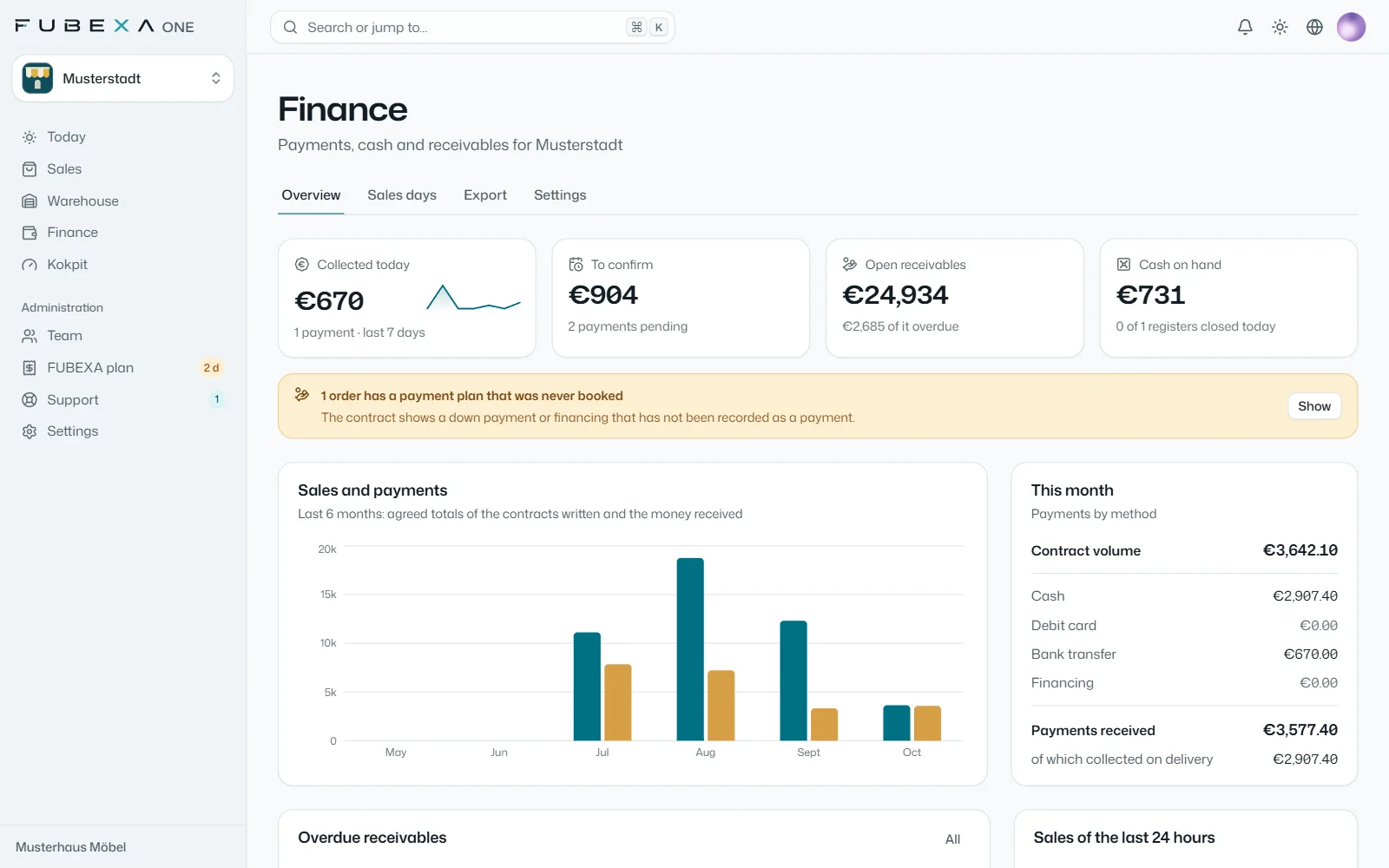
The finance overview
Payments received today, payments awaiting confirmation, open and overdue receivables and cash on hand. Plus sales and payments received over the last six months, the current month by payment method and the sales of the last 24 hours.
-
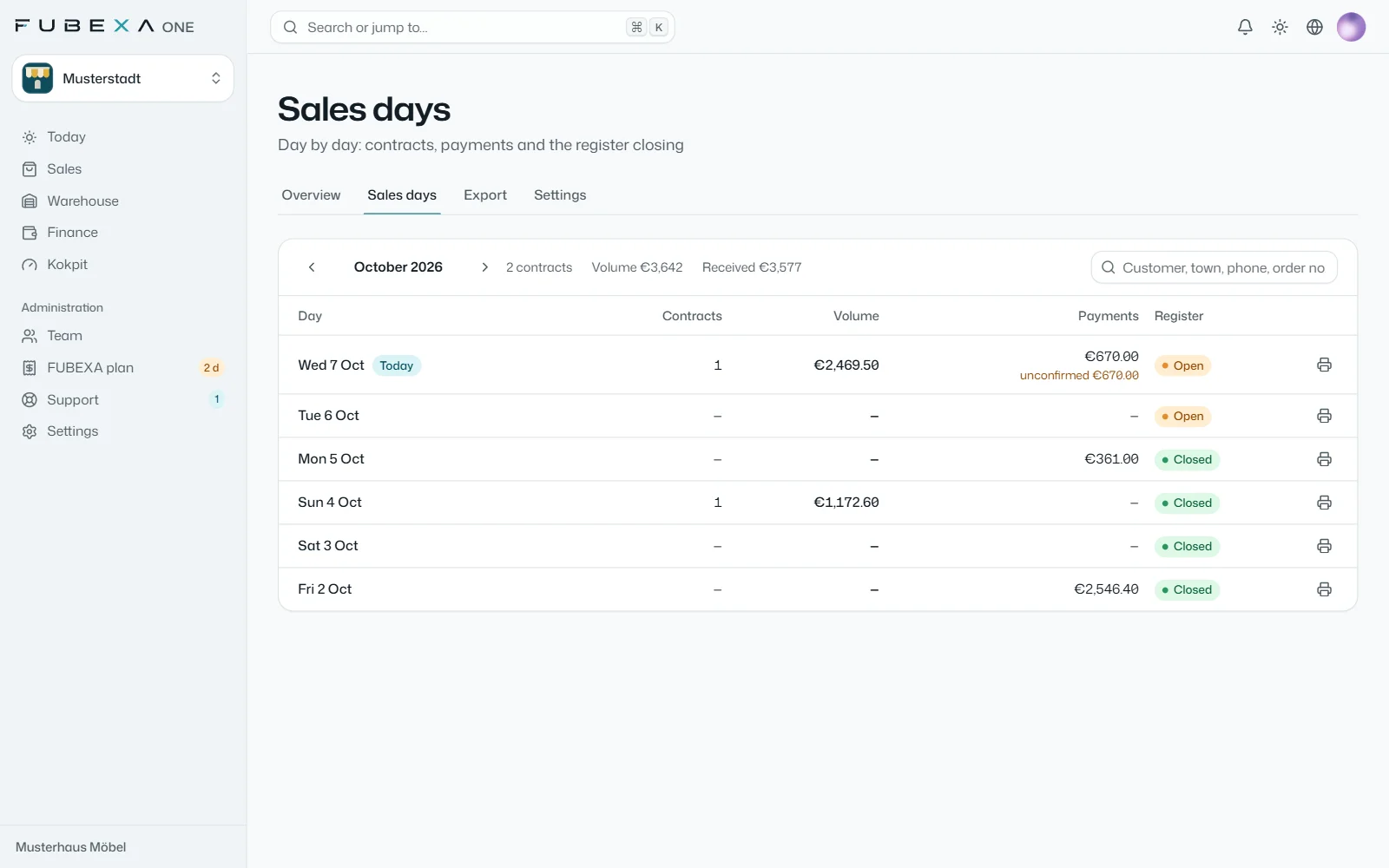
Sales days and day report
One row per day with contracts, volume, payments received and register status. If a payment agreed in the contract has not been recorded, it stands out. You print the day report from the entries.
-
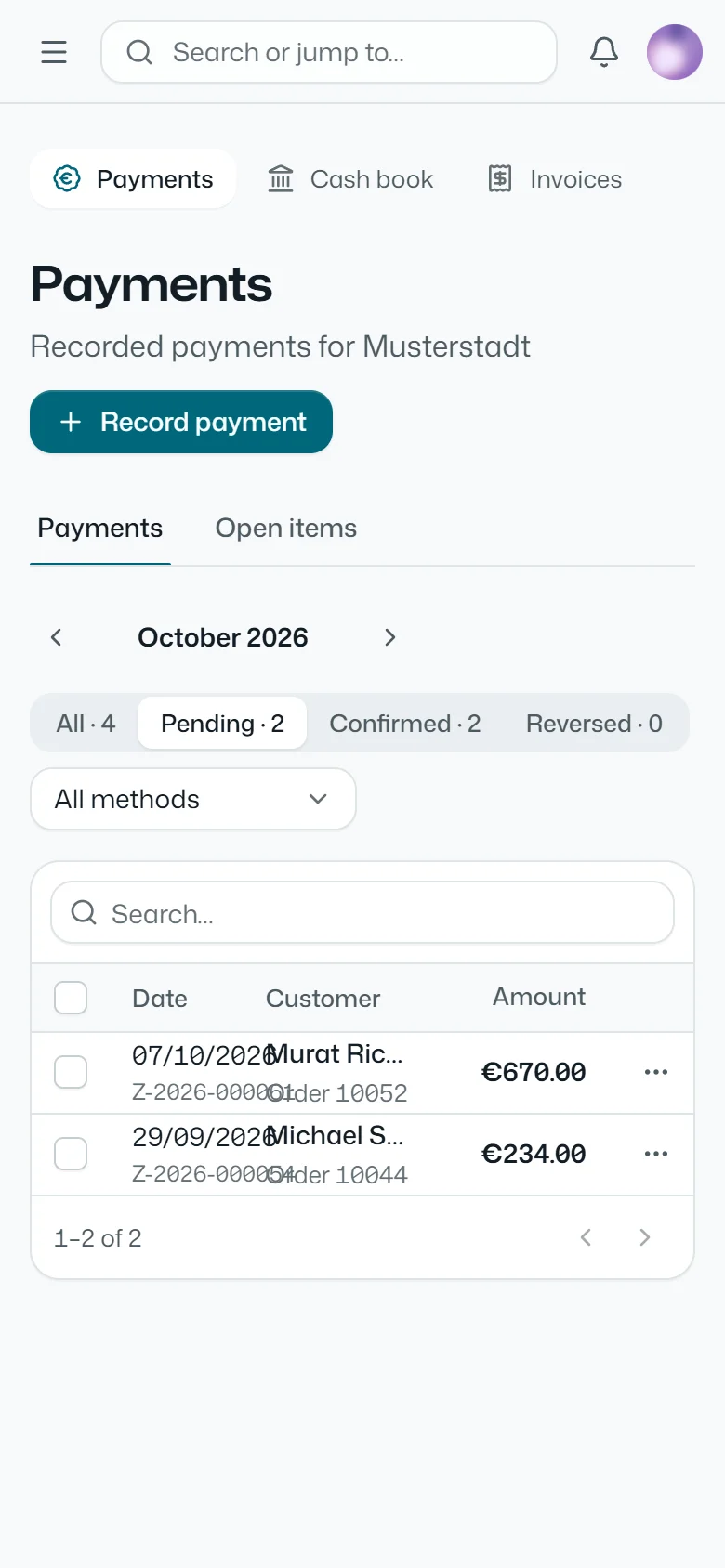
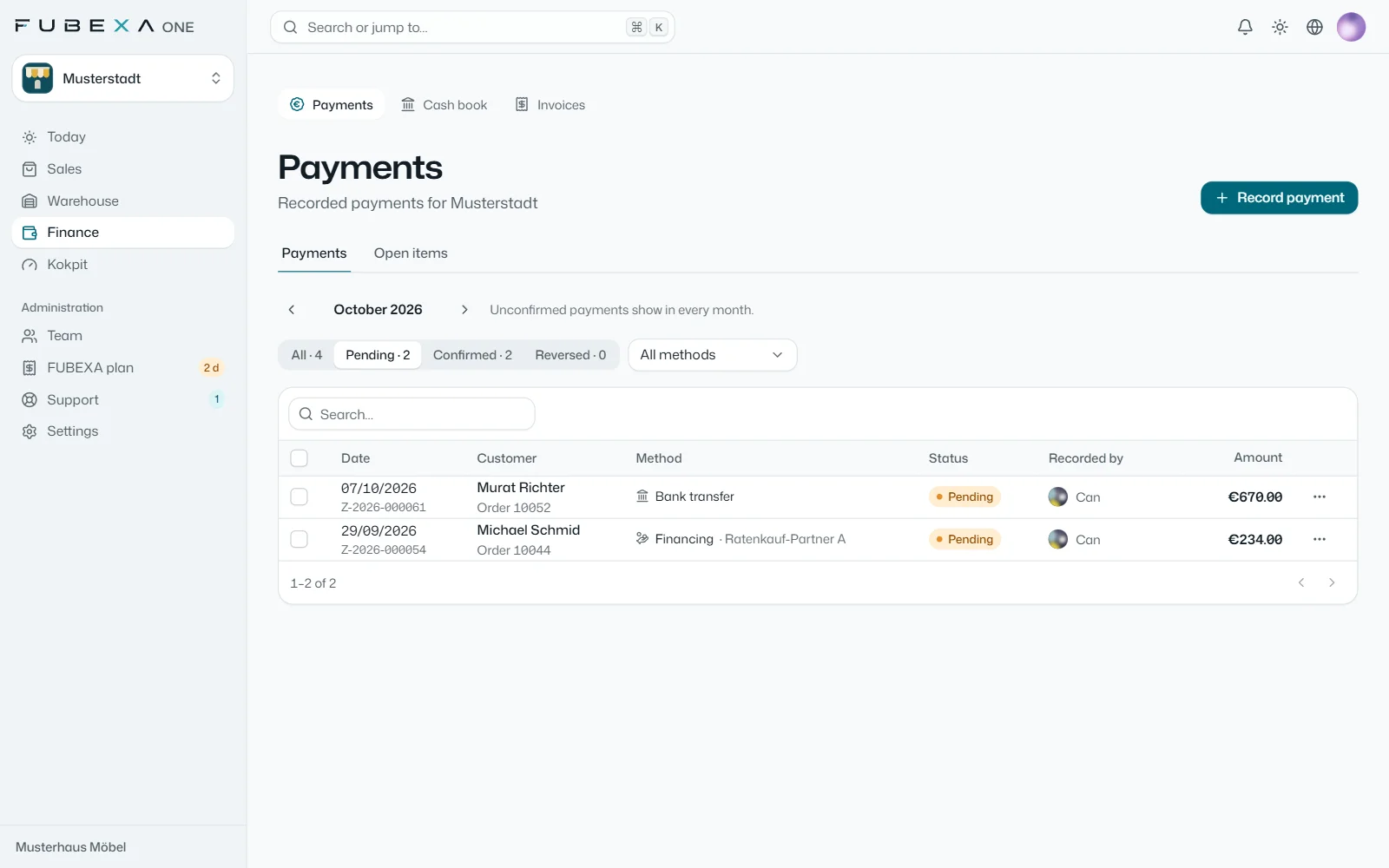
Payments on the order
Cash, debit card, bank transfer or financing – also on delivery. Payments are numbered and cannot be changed: a mistake is corrected by a reversal, and every confirmation is logged with name and time.
-
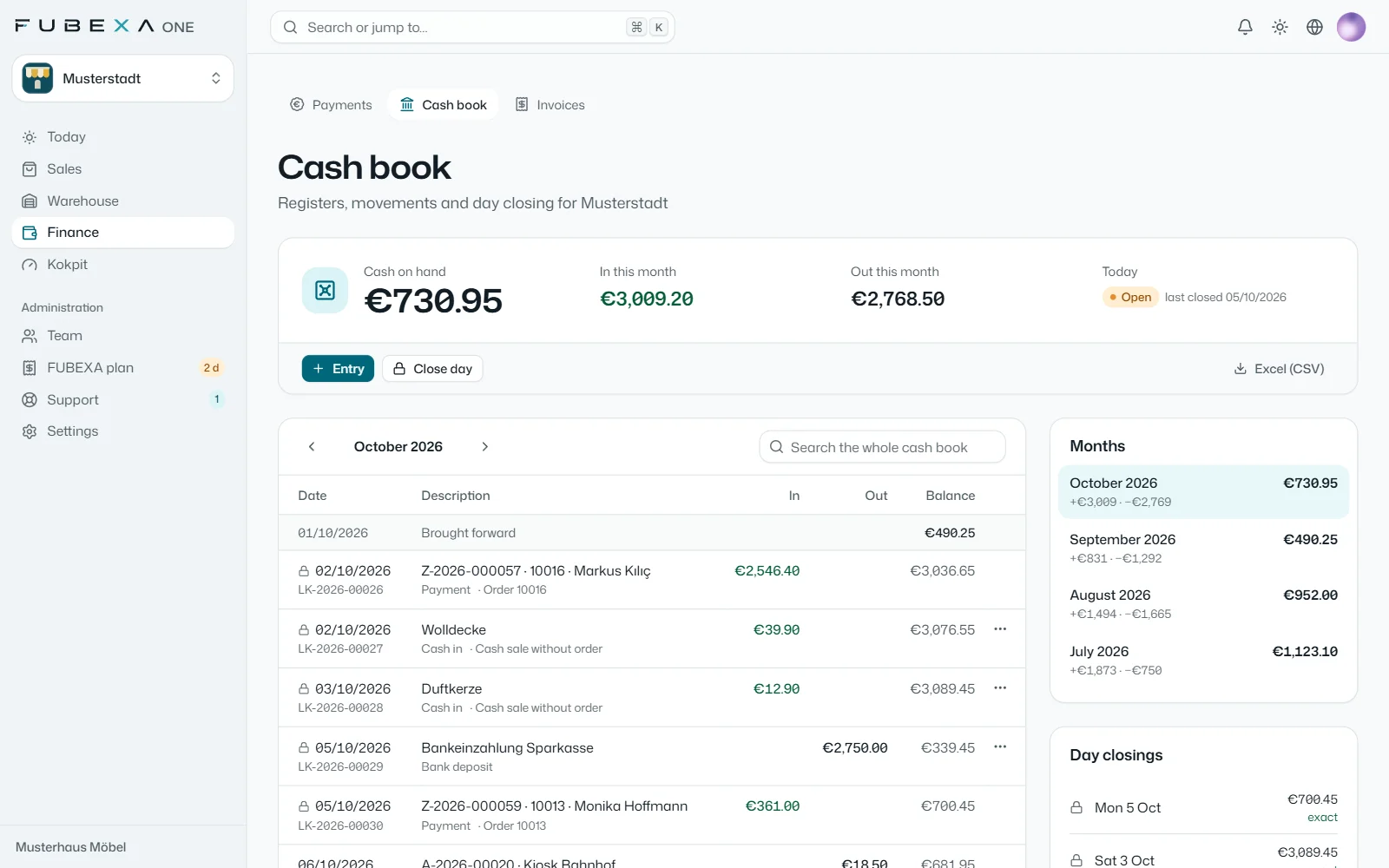
Cash book with end-of-day closing
Several cash registers, such as the shop till and the safe. Cash from payments is booked automatically; add transfers, bank deposits, search, a view by month and export as an Excel file (CSV). At the end of the day you count the cash, and any difference is recorded.
-
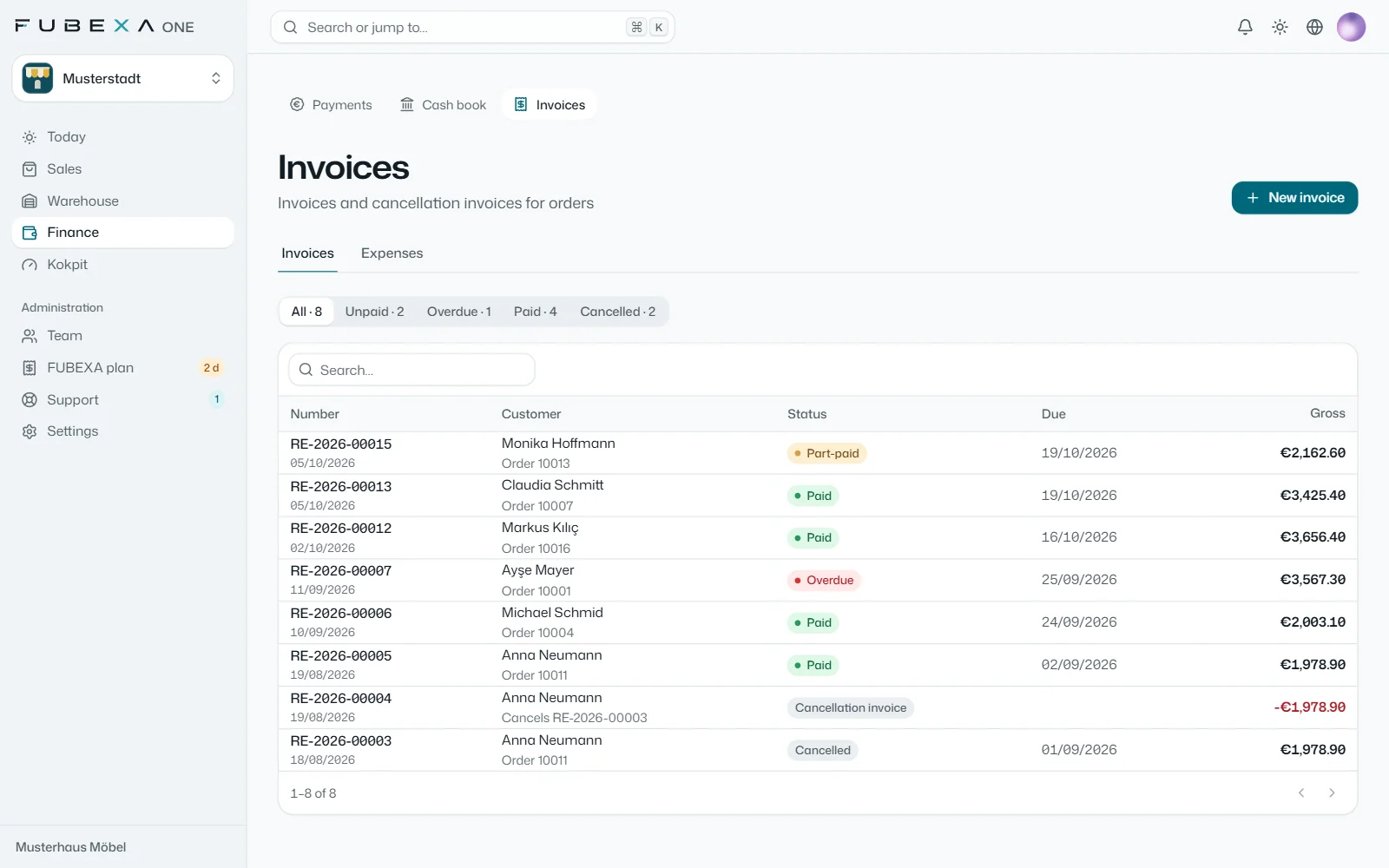
Invoices, receipts, expenses
Invoices, partial and final invoices and cancellation invoices, expenses with documents and open items. The customer signs the A4 or A5 receipt on screen; it spells out the amount in words – in one of five languages.
-
For your tax adviser
Payments, cash book, invoices and expenses as CSV files, plus a DATEV posting batch with SKR03 or SKR04 – each for the period you choose.
FUBEXA Finanzen is not a certified cash register (no TSE). Your tax adviser checks the exported data.
Which package includes it?
FUBEXA Finanzen is part of FUBEXA ONE: in the Pro package, with DATEV export, payroll preparation and the cockpit.
- Start Sales, customers, staff €89 / month per store not included
- Plus With warehouse and time tracking €129 / month per store not included
- Pro With finance, DATEV and cockpit €169 / month per store included
Questions about FUBEXA Finanzen
Is FUBEXA Finanzen a cash register with a TSE?
No. FUBEXA Finanzen keeps payments and cash books, but it is not a certified cash register and has no TSE, the security device German law requires for electronic tills. Please check with your tax adviser which requirements apply to your cash sales.
Can entries be changed or deleted?
No. Payments and cash book entries are numbered and cannot be changed. A mistake is corrected with a reversal entry, so the record stays complete.
What can be printed and exported?
The day report, the cash book, receipts on A4 or A5 and invoices. For your tax adviser: payments, cash book, invoices and expenses as CSV, plus a DATEV posting batch with SKR03 or SKR04.
Which languages does FUBEXA Finanzen work in?
The interface is available in German, Turkish, English, Dutch and French; each user chooses their own language. You print receipts in one of these five languages, including the amount in words.
Does FUBEXA accept or make payments for me?
No. FUBEXA does not make payments on the customer’s behalf and does not hold or transfer money. The FUBEXA Finanzen module only records payments: you enter them, FUBEXA analyses them.
More FUBEXA products
-
FUBEXA Verkauf
Sales
Sales contracts on the tablet, signatures and order tracking
-
FUBEXA Lager
Warehouse
Goods-in with QR labels, counting with the phone camera
-
FUBEXA Kokpit
Cockpit
Checks FUBEXA ONE against JTL-Wawi and DATEV – in Pro
-
FUBEXA App
Android app: figures, orders and alerts