New: FUBEXA ONE the platform for retail
Your retail business on one platform.
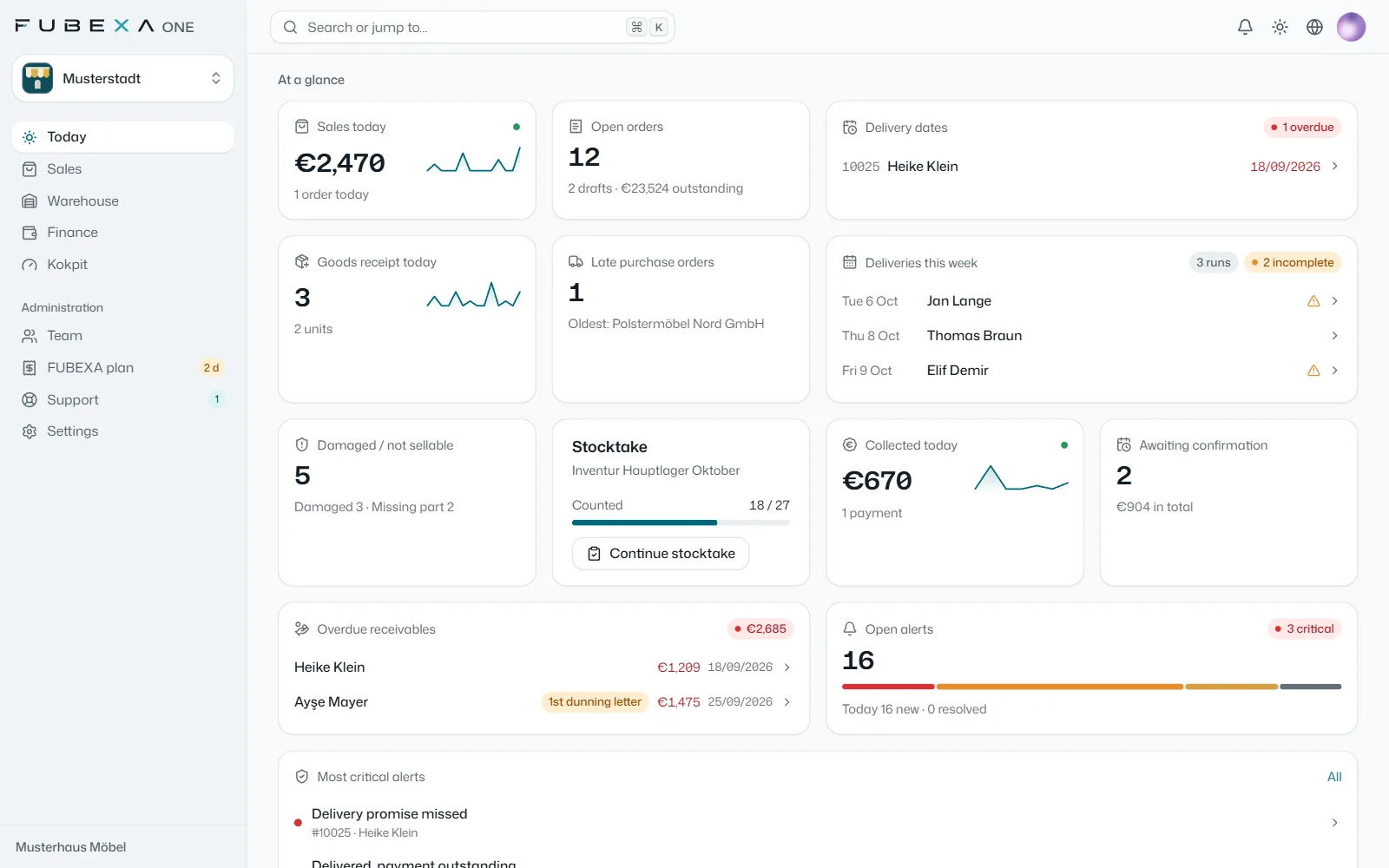
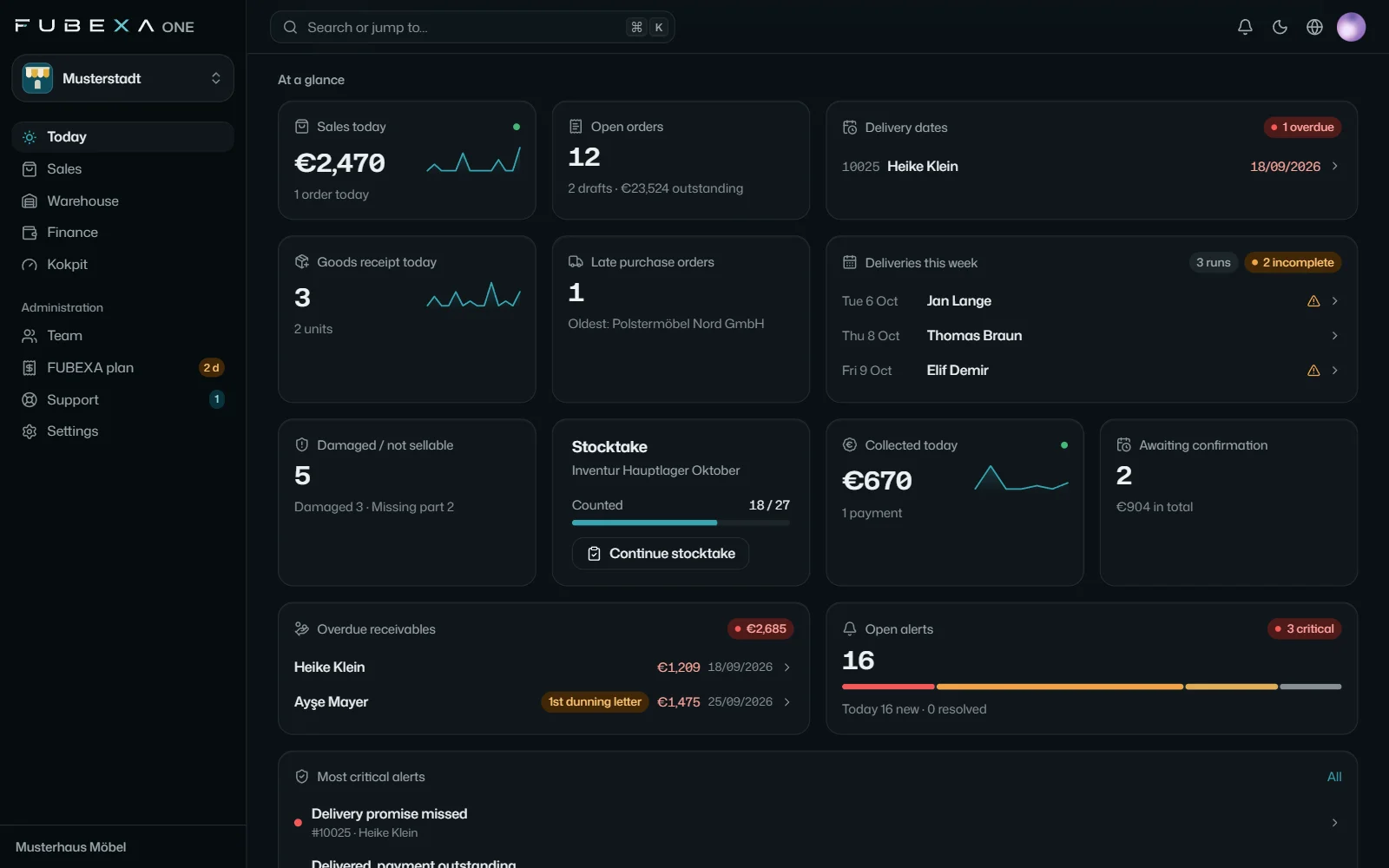
Sales, warehouse, finance and cockpit – connected to JTL-Wawi and DATEV if you use them. And every morning the daily briefing tells you what needs doing.
- Free, no payment details
- Live demo under your business name
- Set up together with our team
FUBEXA ONE in numbers
-
4
modules on one platform: sales, warehouse, finance, cockpit
-
5
app languages – for your whole team
-
12months
of sales history in the demo account, with live figures
-
60sec
to your demo account under your own business name
Everything your stores need. In one system.
Sales, warehouse, finance and cockpit work hand in hand – in three FUBEXA ONE packages.
-
FUBEXA Verkauf
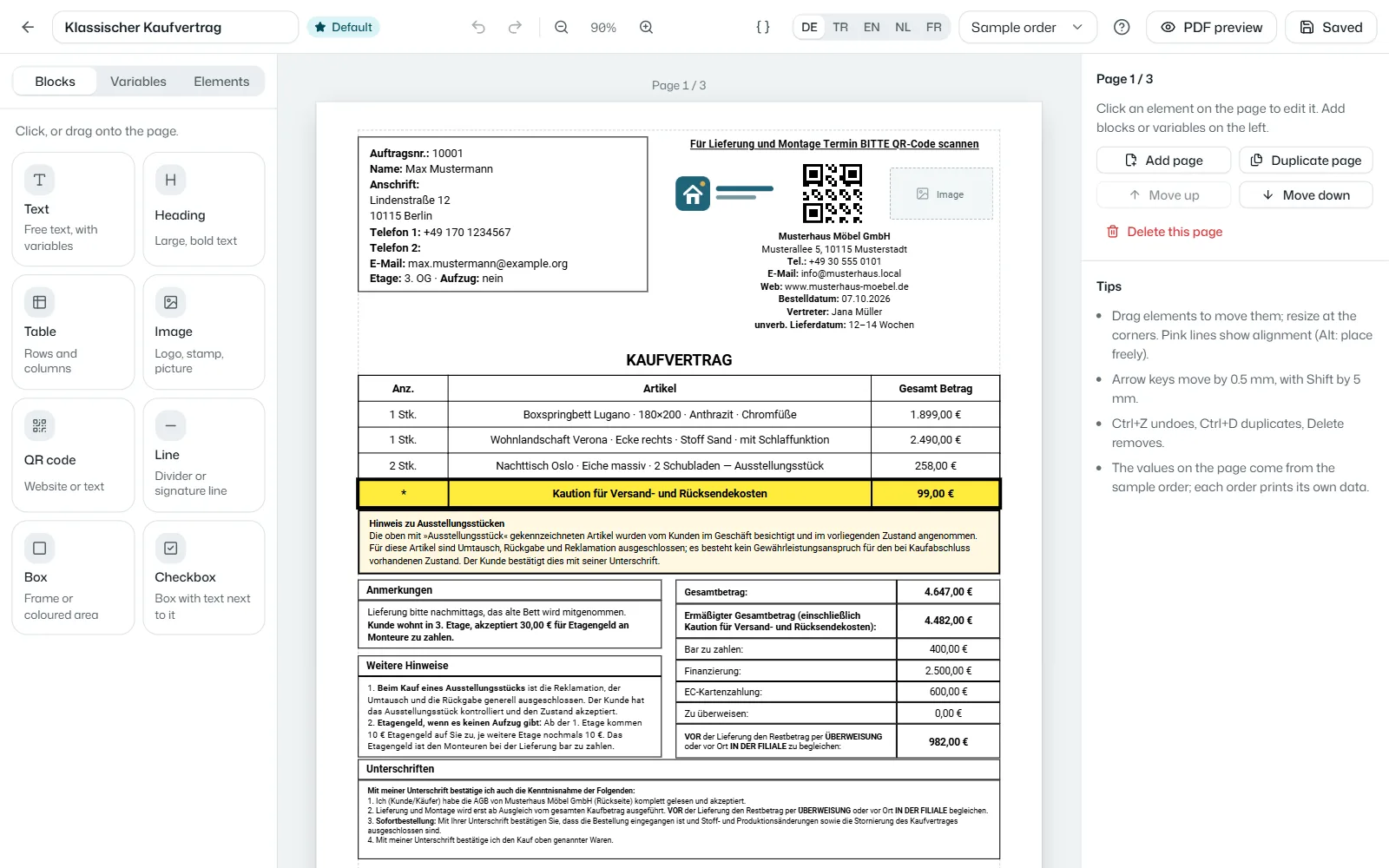
From the sales conversation to the signed contract
Sales contracts on the tablet, signatures and order tracking
-
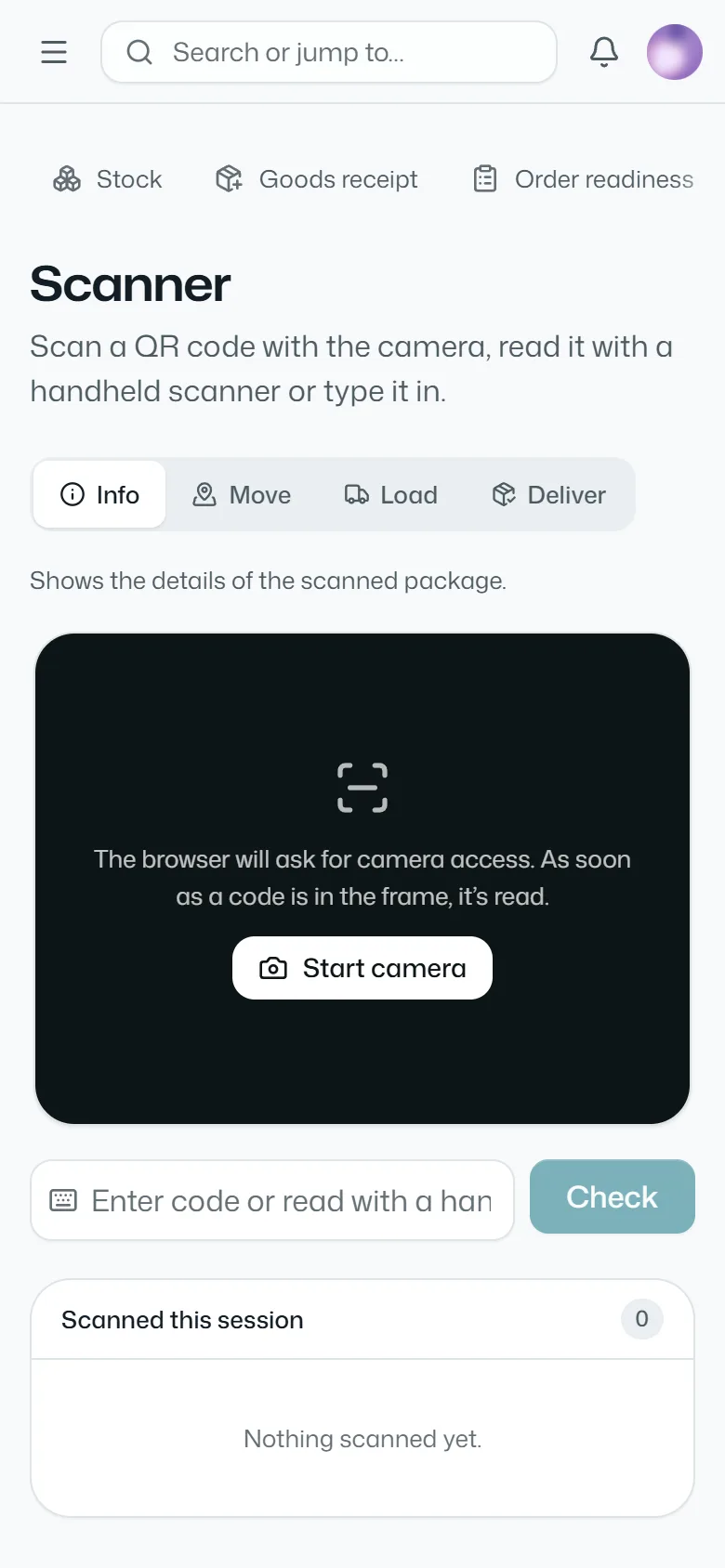
FUBEXA Lager
Every package with its own QR code
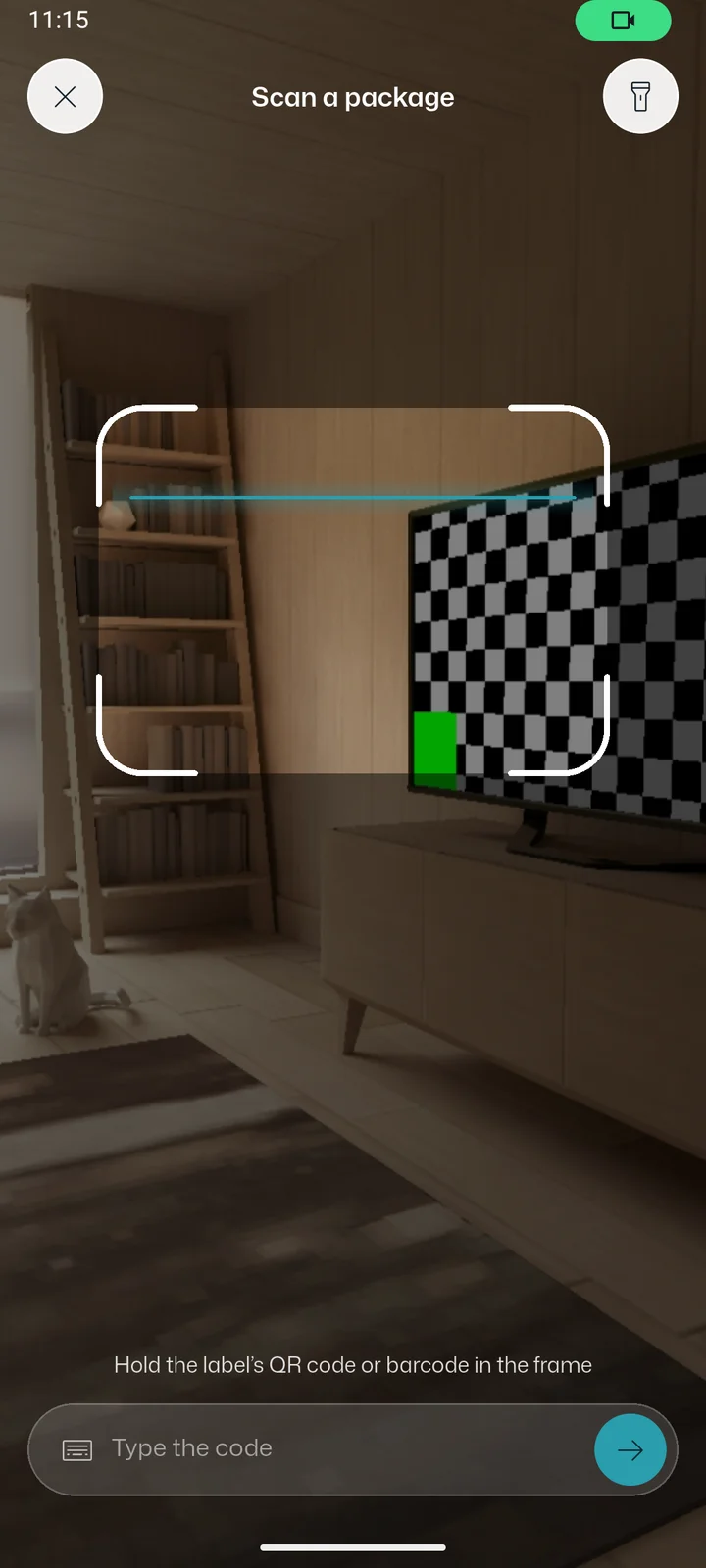
Goods-in with QR labels, counting with the phone camera
-
-
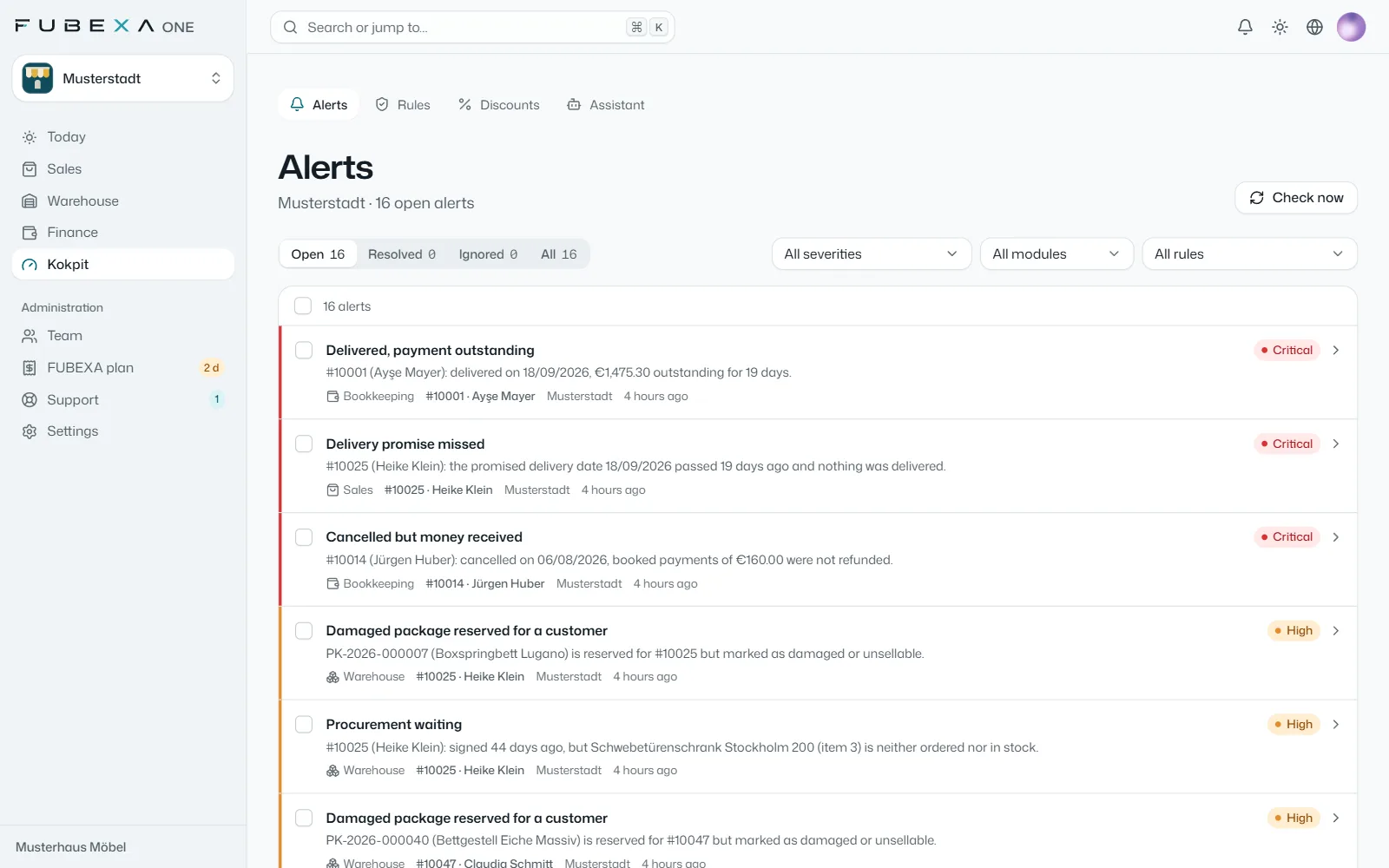
FUBEXA Kokpit
Everything checked against everything
Checks FUBEXA ONE against JTL-Wawi and DATEV – in Pro
-
The optimal sales system: five steps, one system
From the sales conversation to the final check, each step feeds the next – shown here with real screens and sample data.
-
FUBEXA Verkauf
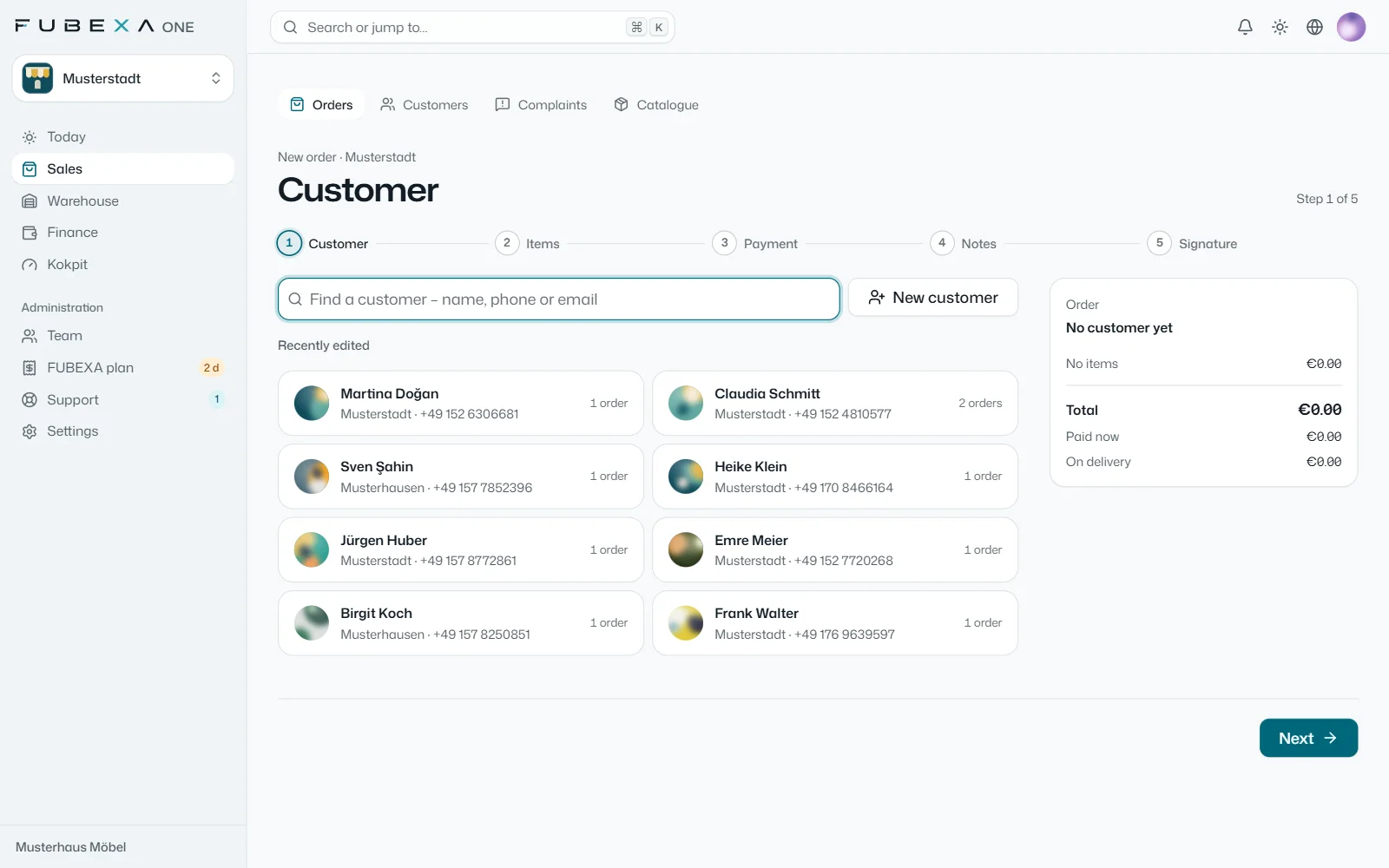
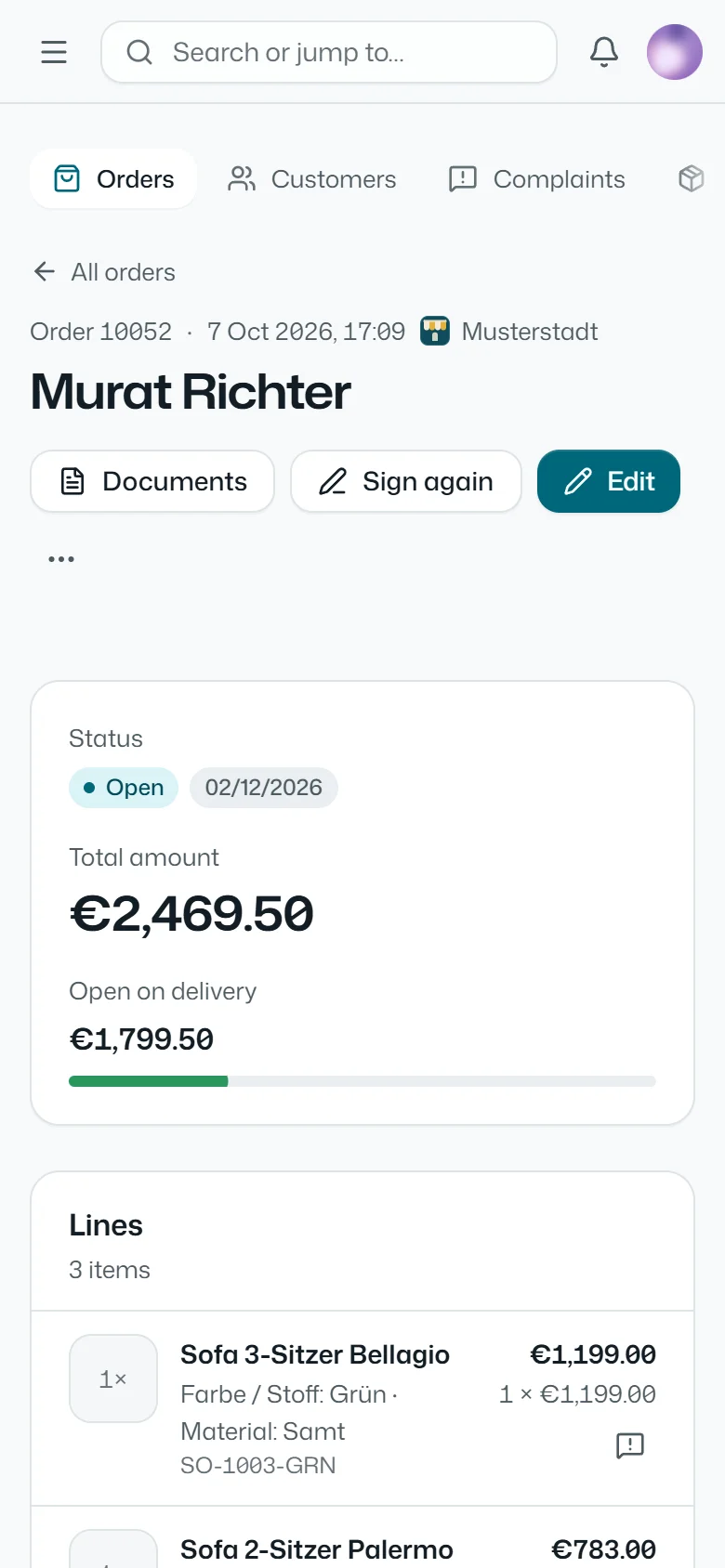
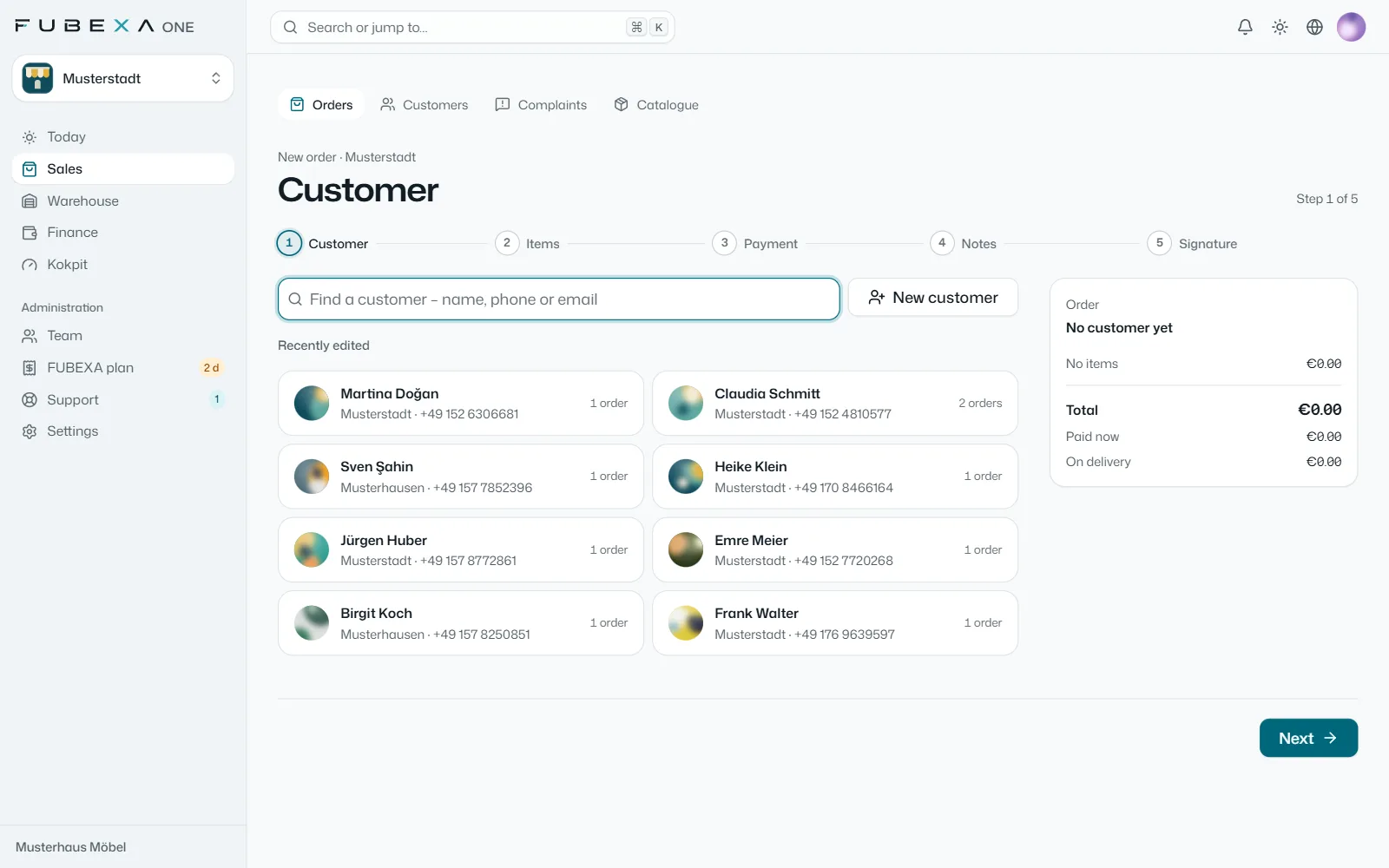
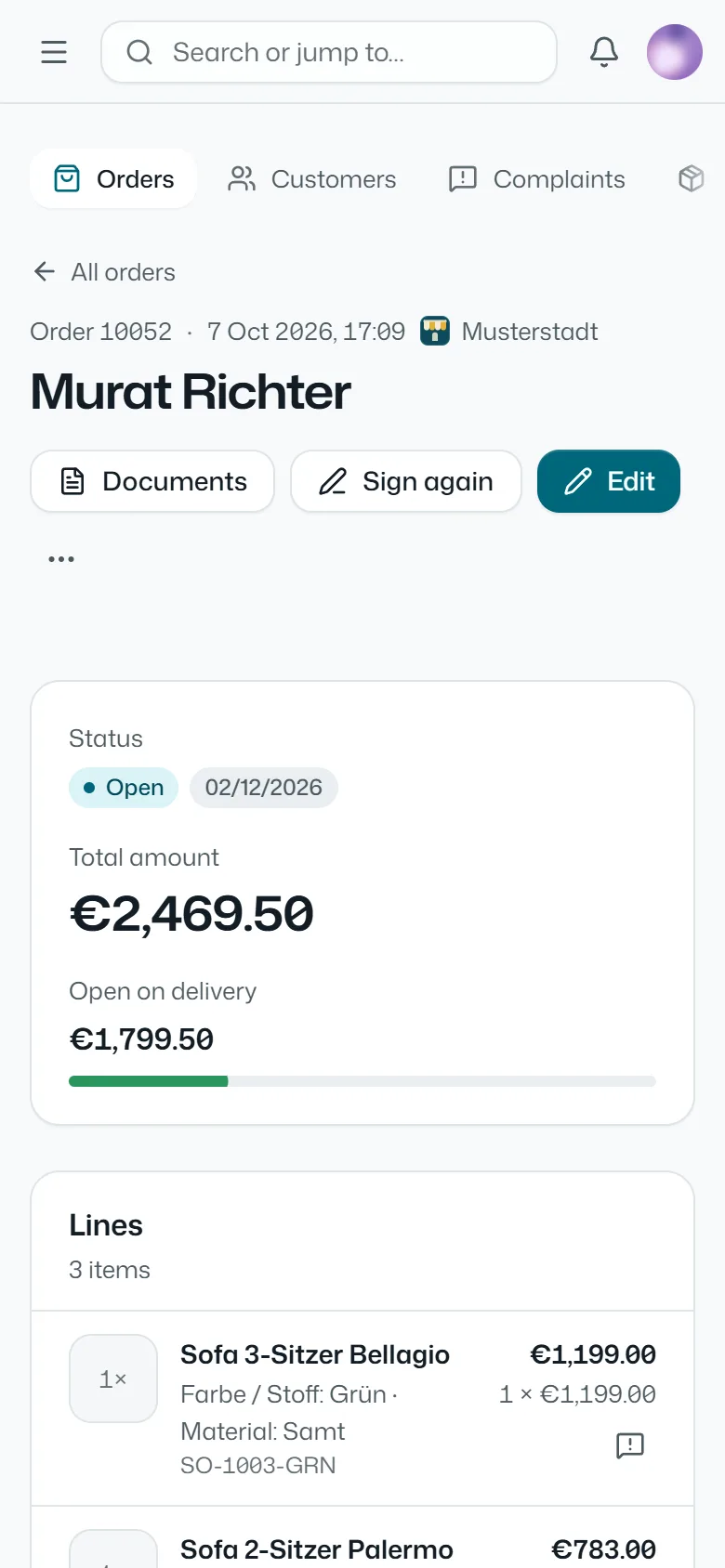
1. Take the order, get it signed
The order is recorded during the sales conversation: items from your catalogue with the attributes of their category, down payment and payment method. The customer signs on the tablet, and the purchase contract from your own template is ready at once.
-
FUBEXA Lager
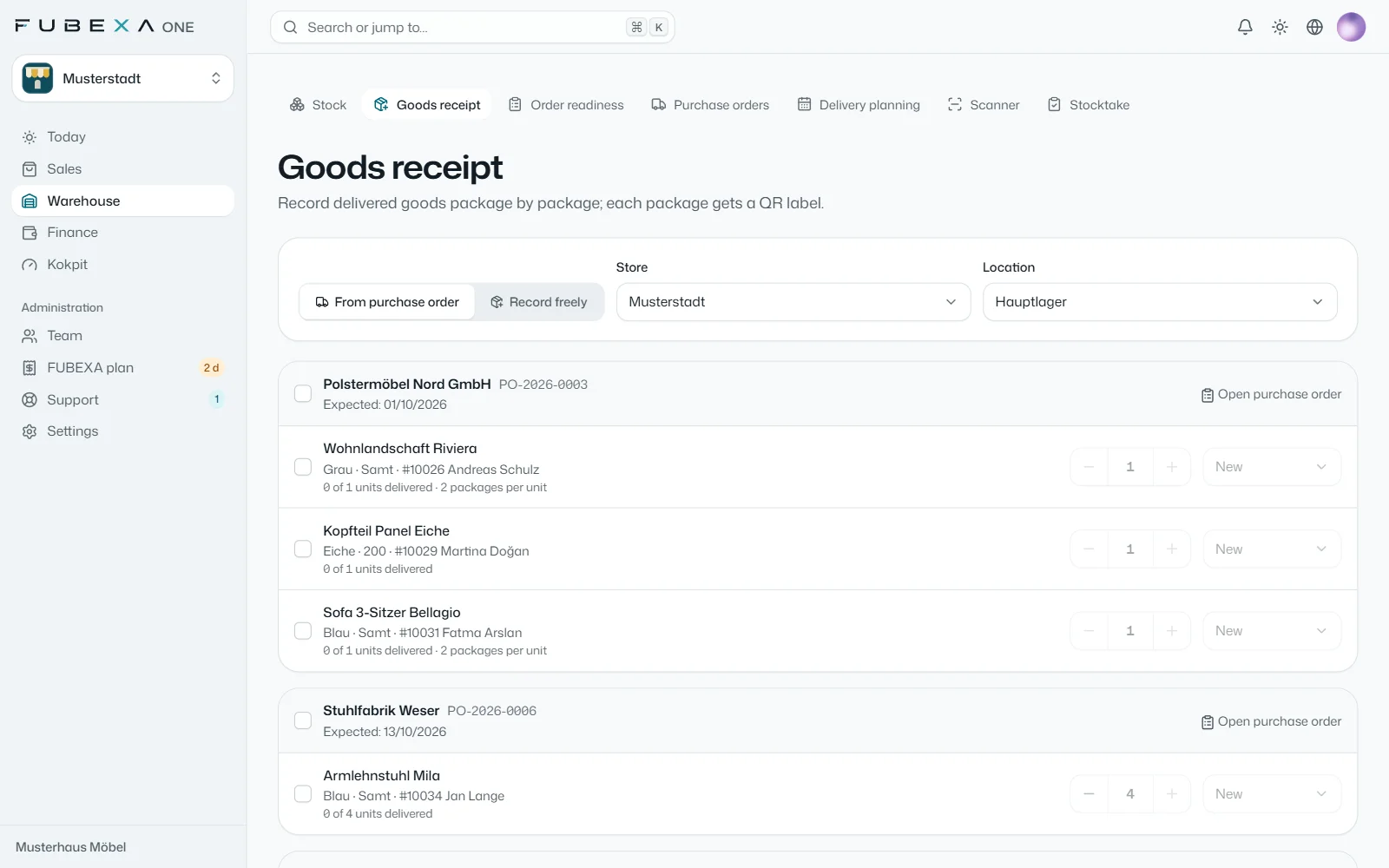
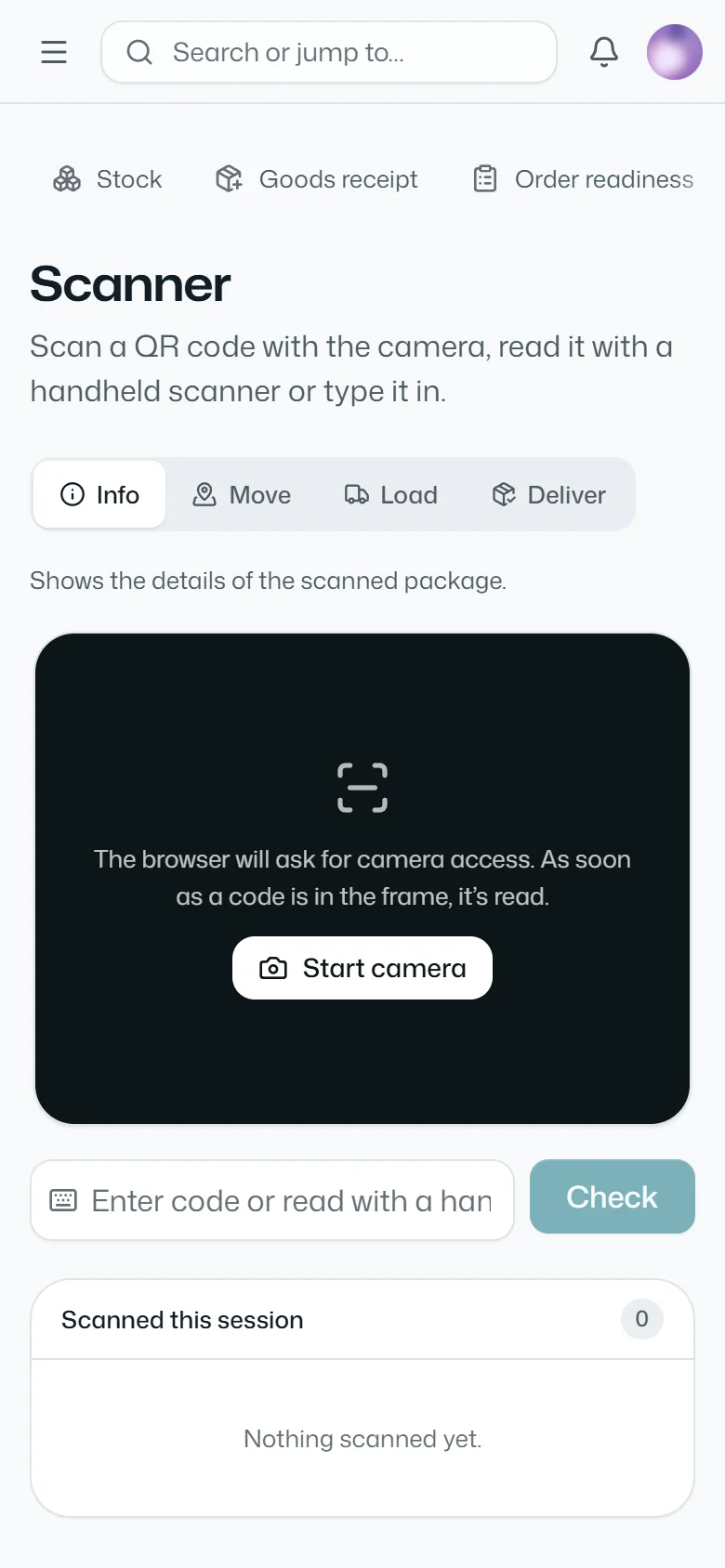
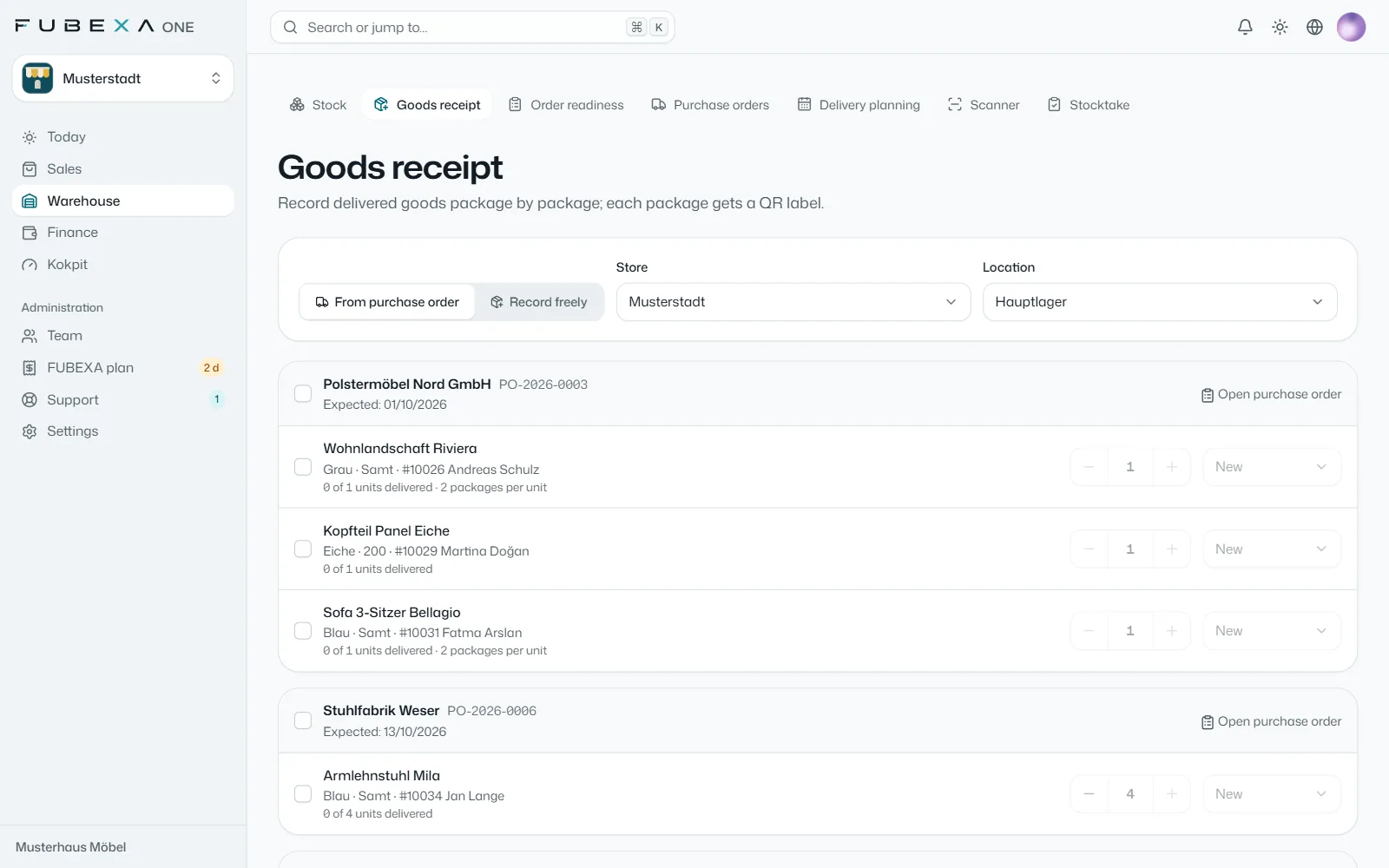
2. Every package with its own QR code
In the warehouse every package carries its QR label; stock and condition are always up to date. This is where the customer’s order is linked to the goods and reserved for them. If the goods aren’t there, the order turns into a purchase order to the supplier.
-
JTL-Wawi and DATEV read-only
3. Using JTL-Wawi or DATEV? FUBEXA reads along
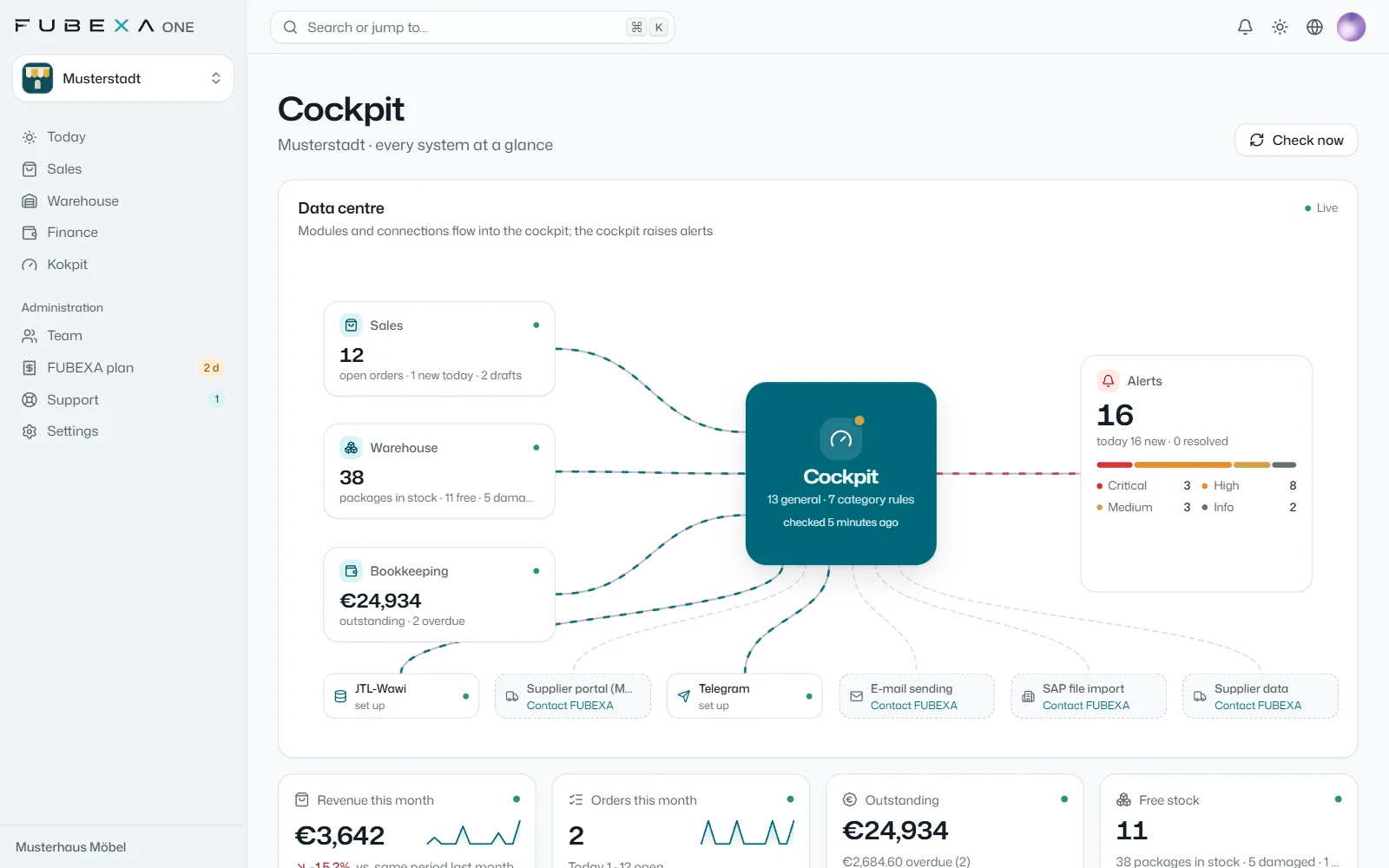
If you work with JTL-Wawi or DATEV, both stay as they are. Via the FUBEXA Connector for Windows, FUBEXA only reads them and checks that every sales contract has a matching order with the same amount and the same payments. FUBEXA creates nothing there and changes nothing.
 Enlarge
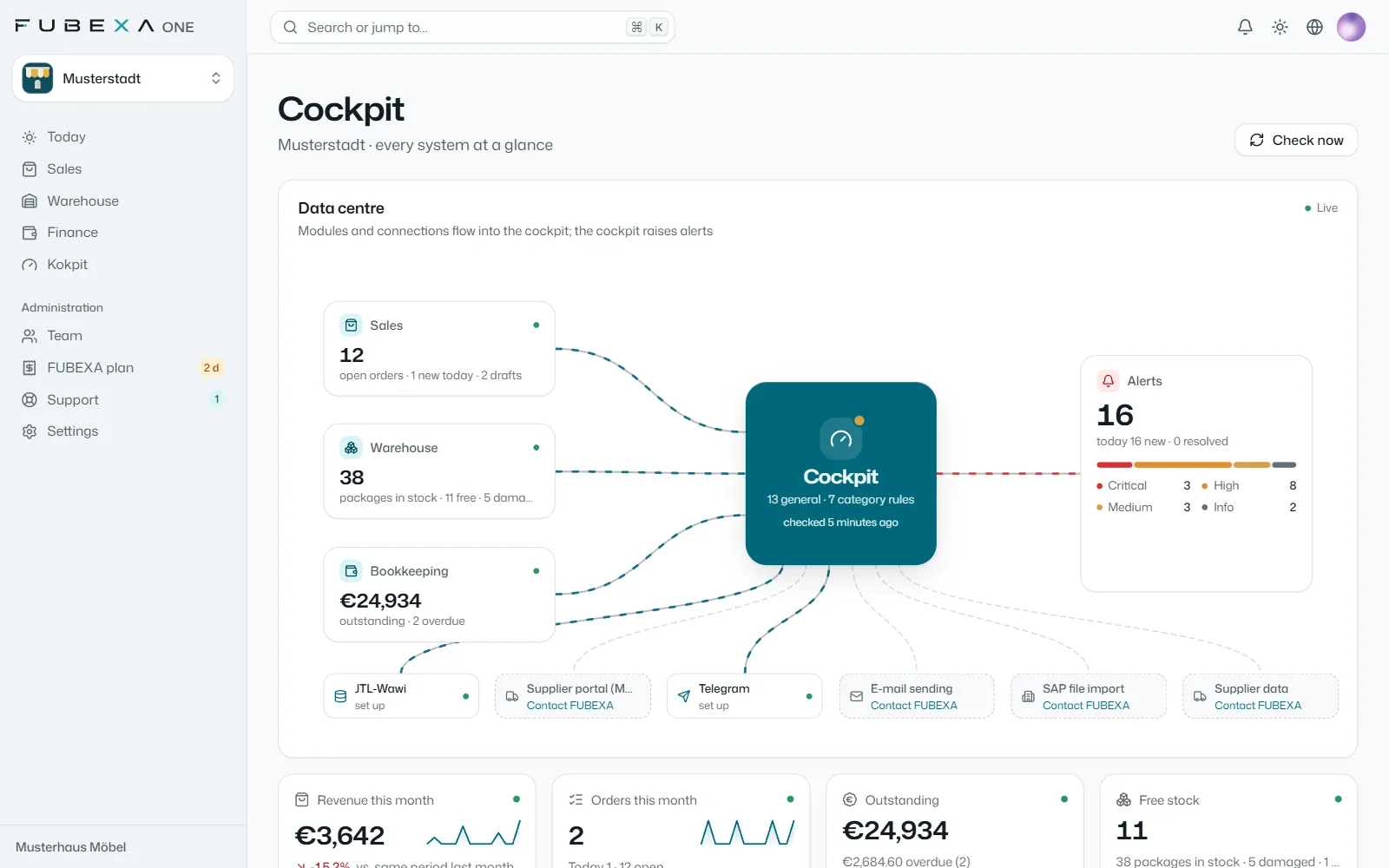
Cockpit: data centre with the status of the connections -
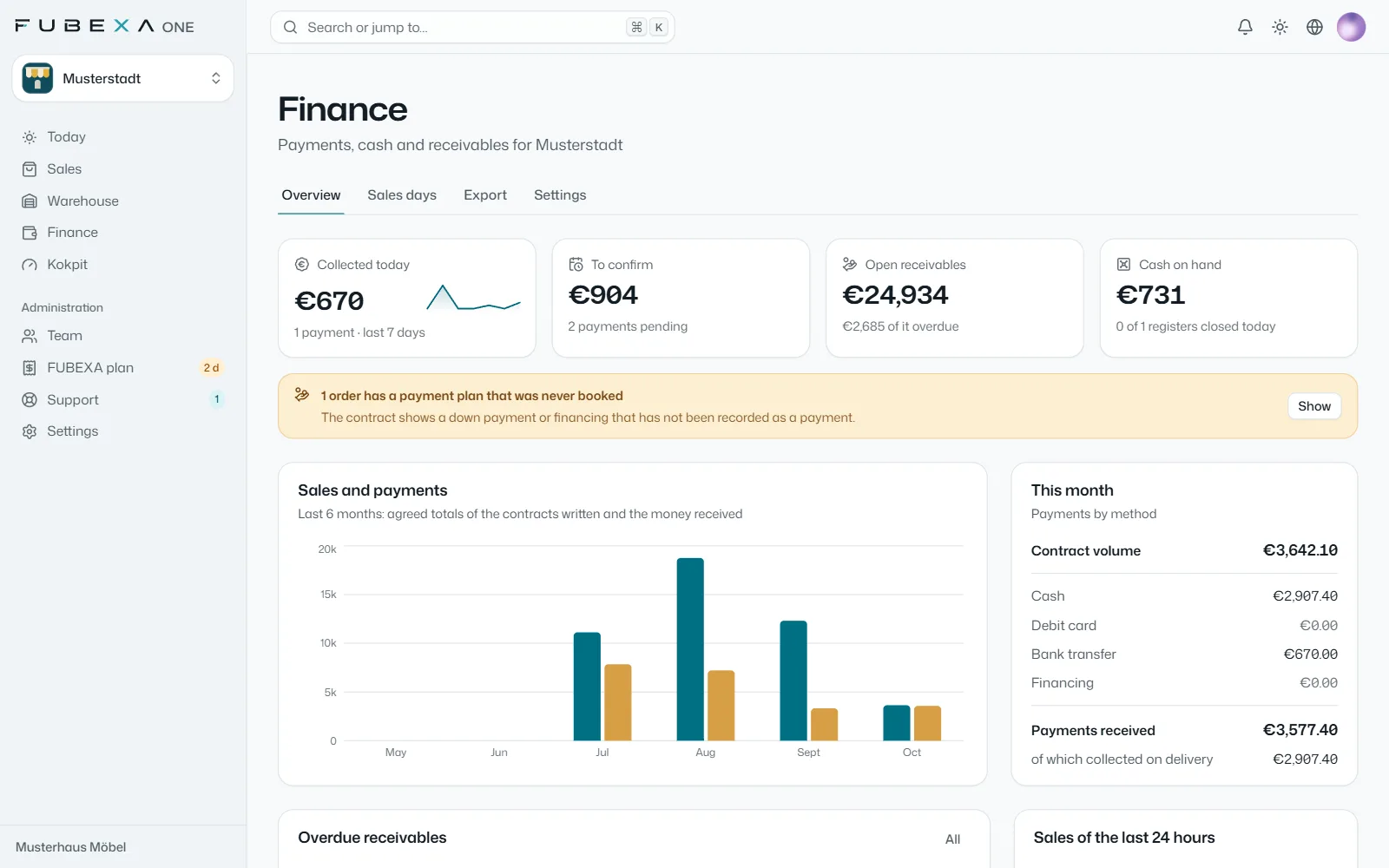
FUBEXA Finanzen
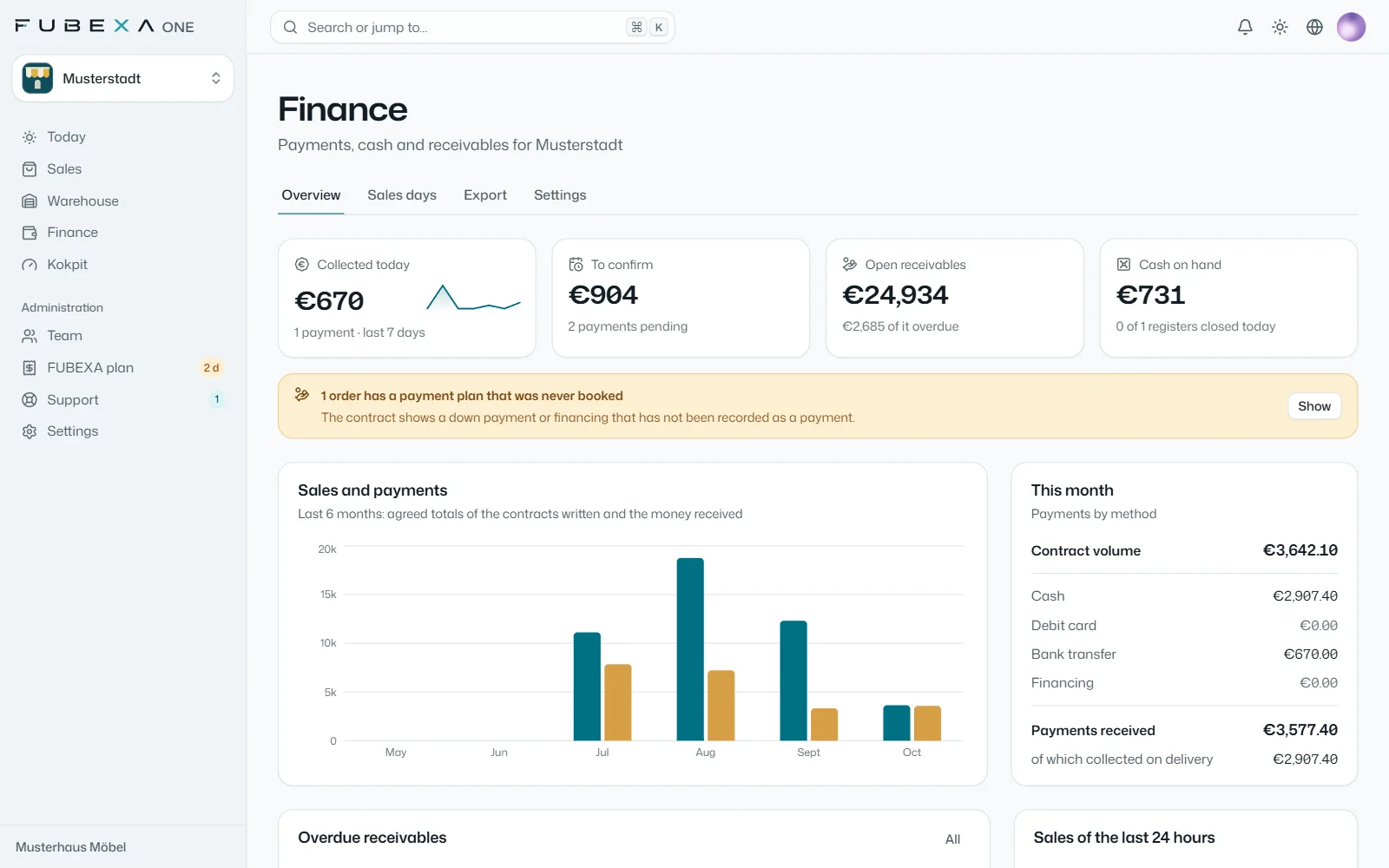
4. Every payment in view
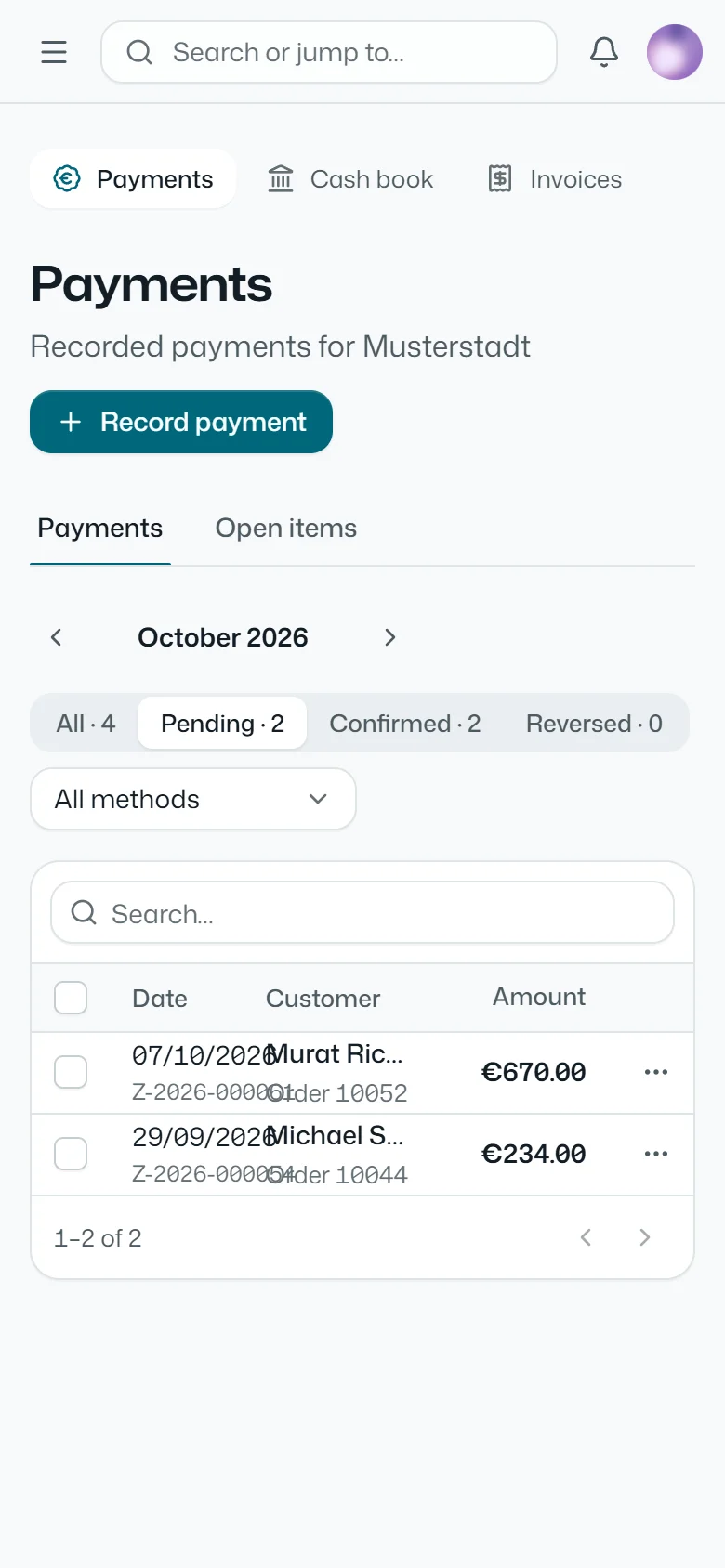
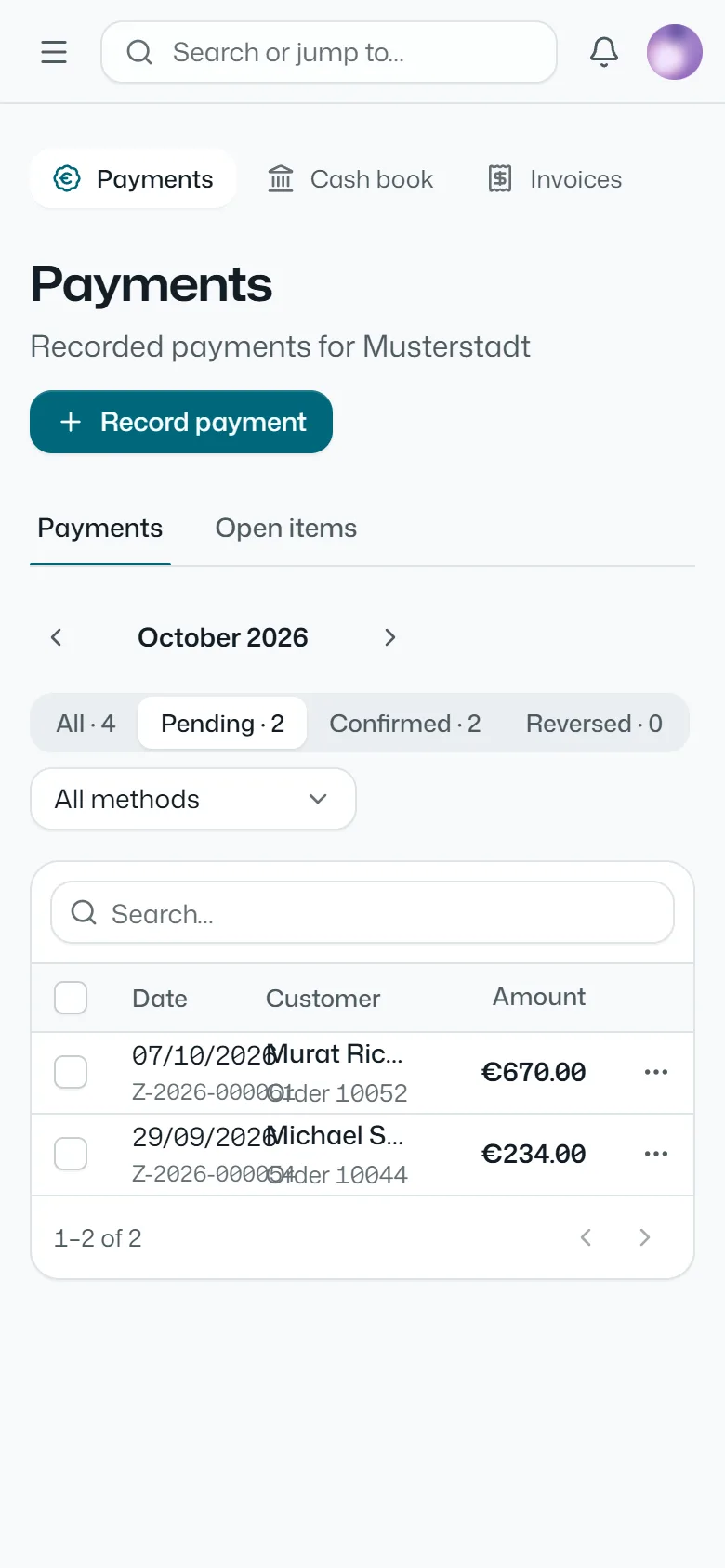
Deposit, balance on delivery, financing: every payment is booked to the order, and cash goes into the cash book. Each day you see what has come in and what is still open.
-
FUBEXA Kokpit
5. Everything checked against everything
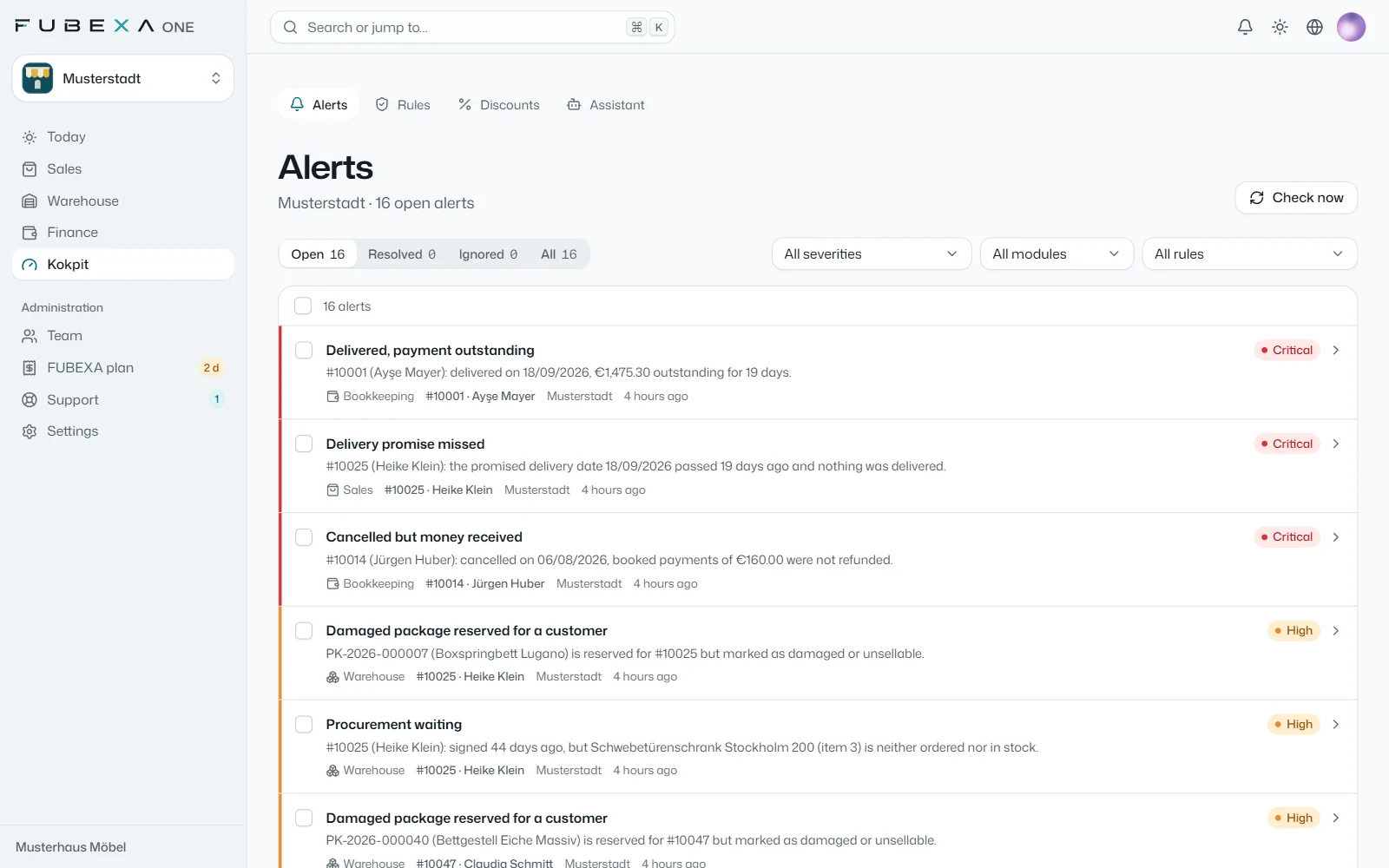
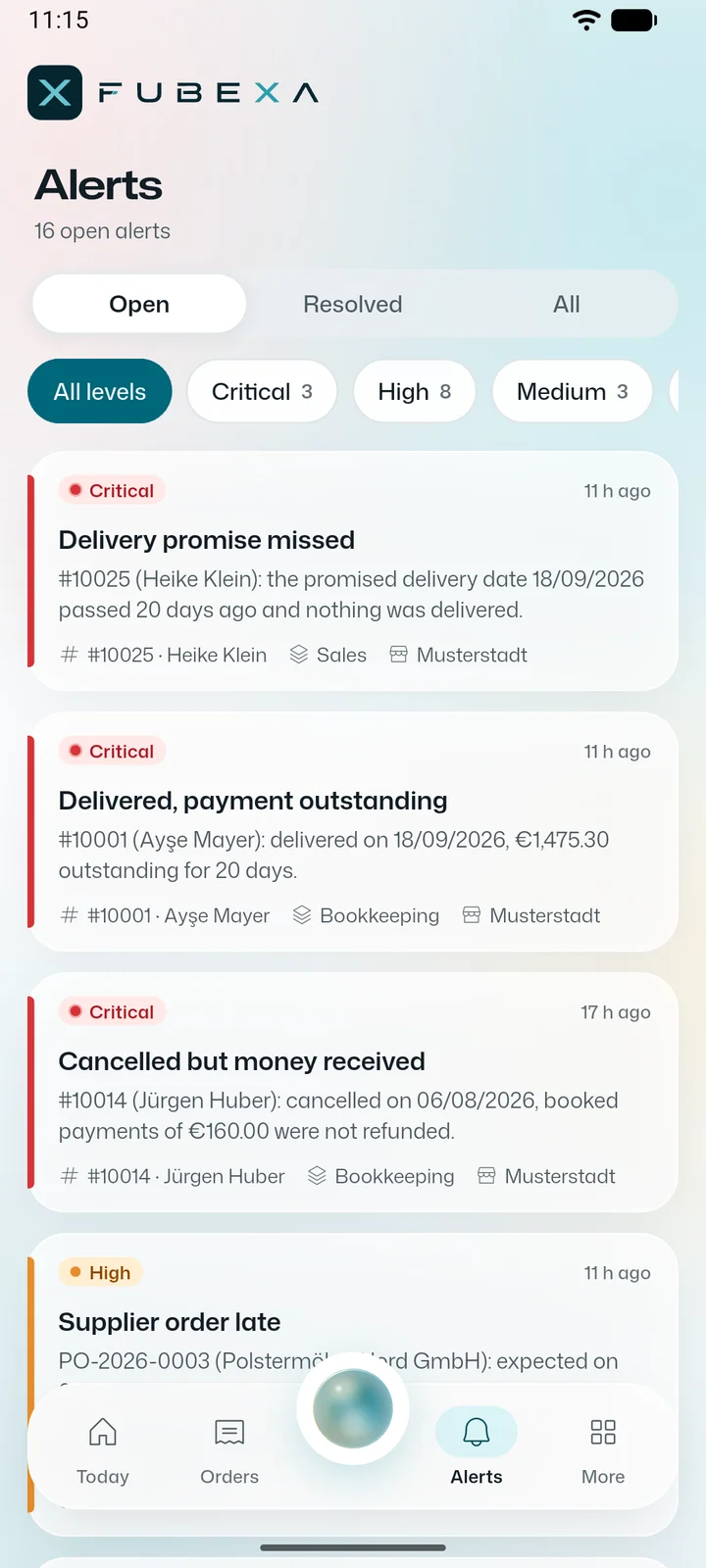
The cockpit puts the sales contract, warehouse, payments, JTL-Wawi and DATEV side by side. Every sale where something doesn’t match appears as an alert – by urgency, with the order and the next step.
 Enlarge
Alerts by severity
So what does all this cost?
Per store, per month, net. No setup fee, cancel monthly, each additional store 50% less.
-
Start
€89 / month per store
Sales, customers, staff
-
Plus
€129 / month per store
With warehouse and time tracking
-
Pro
€169 / month per store
With finance, DATEV and cockpit
Founding customers: 10 places until 31 December 2026 – Pro at the Start price of €89 per store per month, 24-month price guarantee, still cancellable monthly.
Start for free All prices and features
net, excl. VAT · cancel monthly
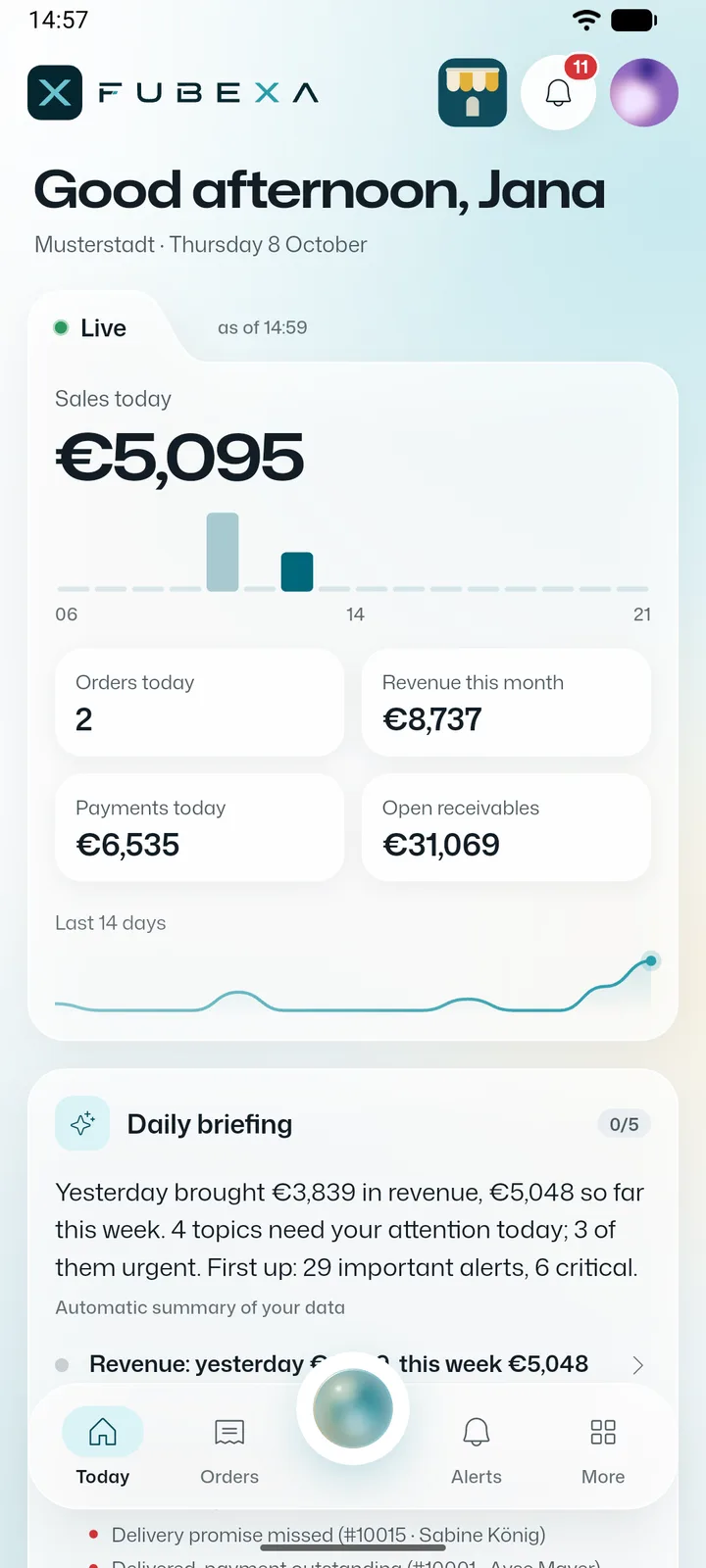
Daily briefing and assistant: know every morning what needs doing
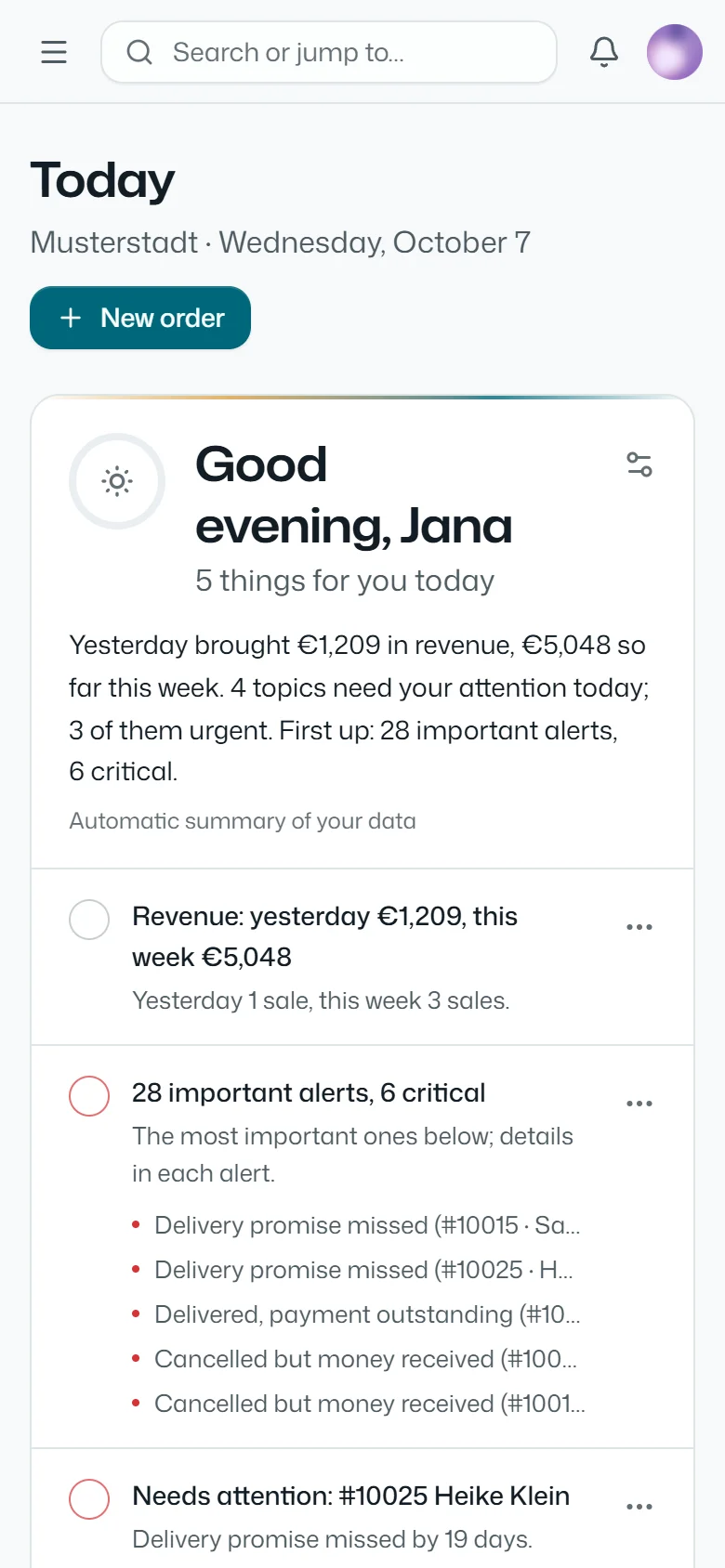
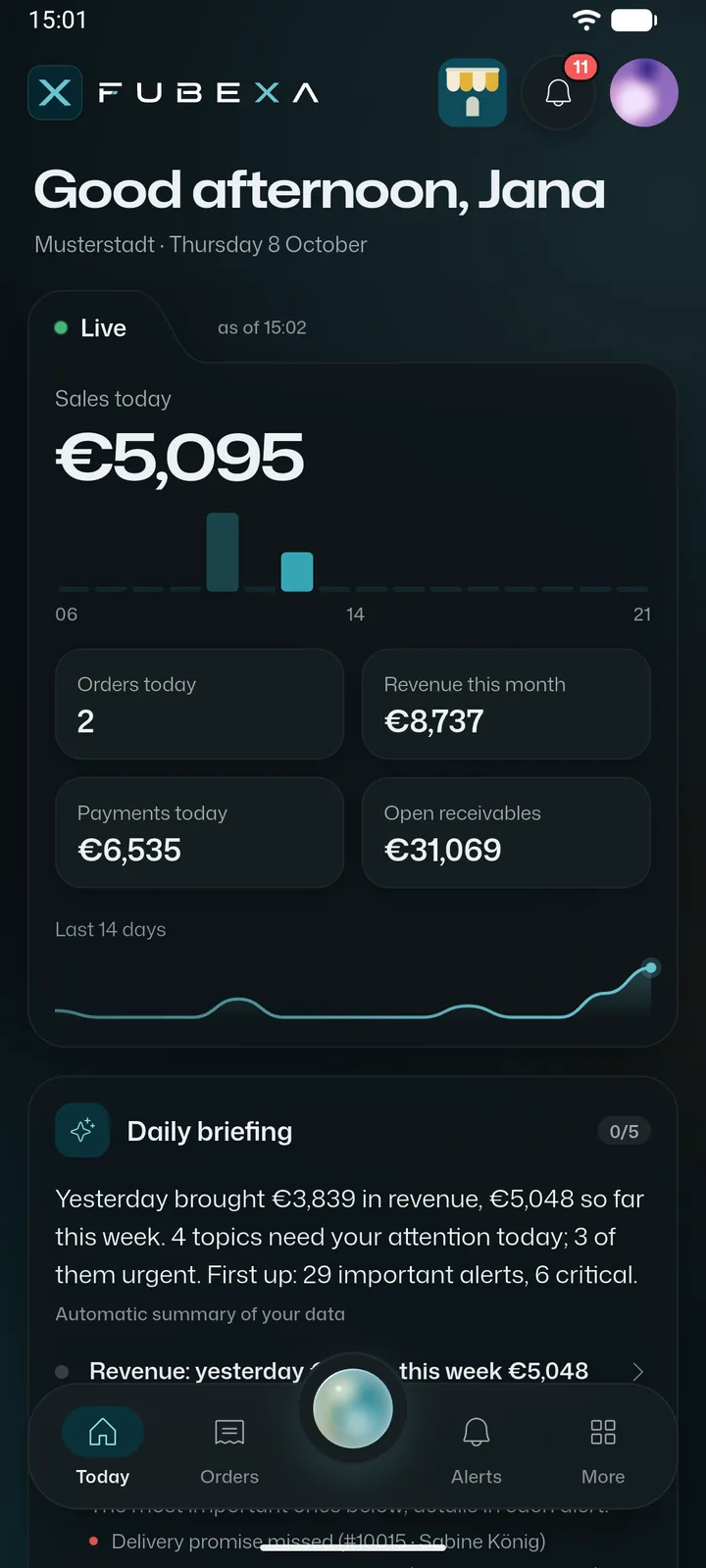
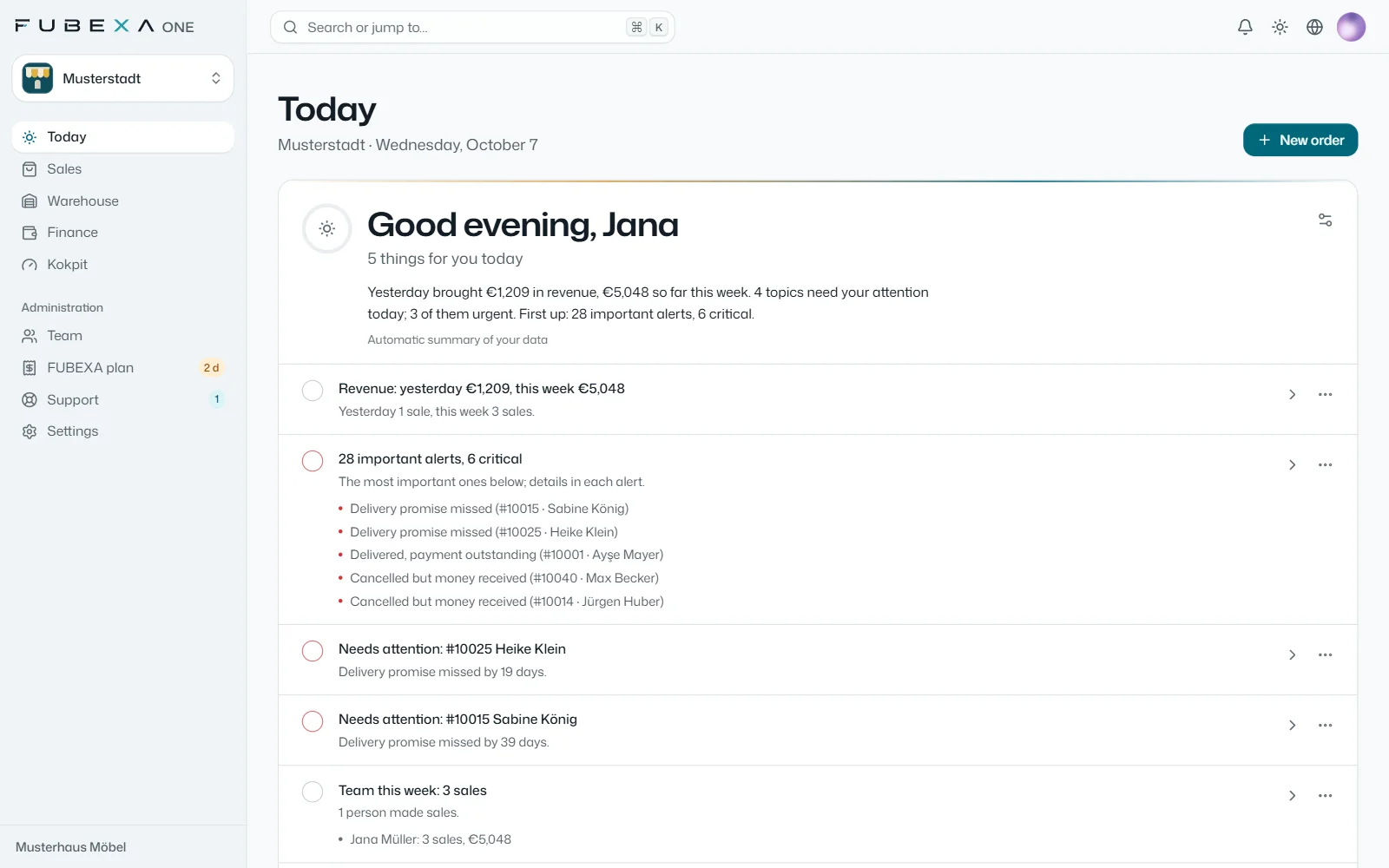
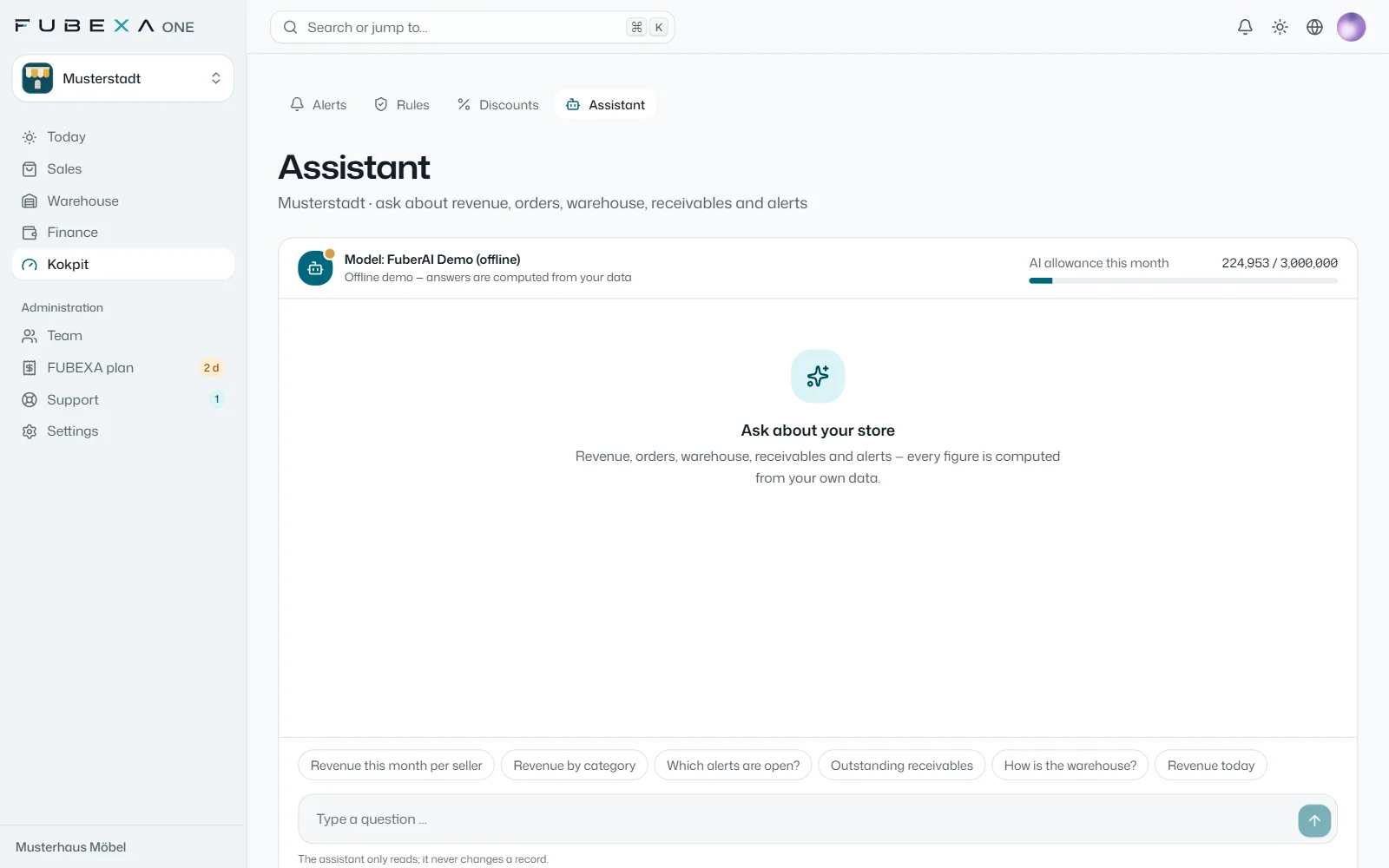
FUBEXA ONE works with your business’s figures: every morning the daily briefing arrives, the assistant answers questions and the cockpit suggests check rules – shown here from a demo account with sample data.
-
Daily briefing per role
For management, sales, warehouse and accounting: what was sold yesterday, what is urgent today and which delivery dates are at risk – on the home screen and in the FUBEXA App, in every package.
-
Questions by voice or text
Revenue, orders, stock, open items and cockpit alerts: the assistant in the cockpit (Pro) calculates every figure from your own data.
-
Suggested rules
From your past orders, the cockpit suggests check rules per category, such as a required field. You decide which ones apply.
-
Under your control
Answers and suggestions come from your company’s data. You decide who uses the assistant through the rights of each role.
You also get the daily briefing in the FUBEXA App for Android phones – in every package; the assistant comes with Pro. See the FUBEXA App
In the store, in the warehouse, on the road.
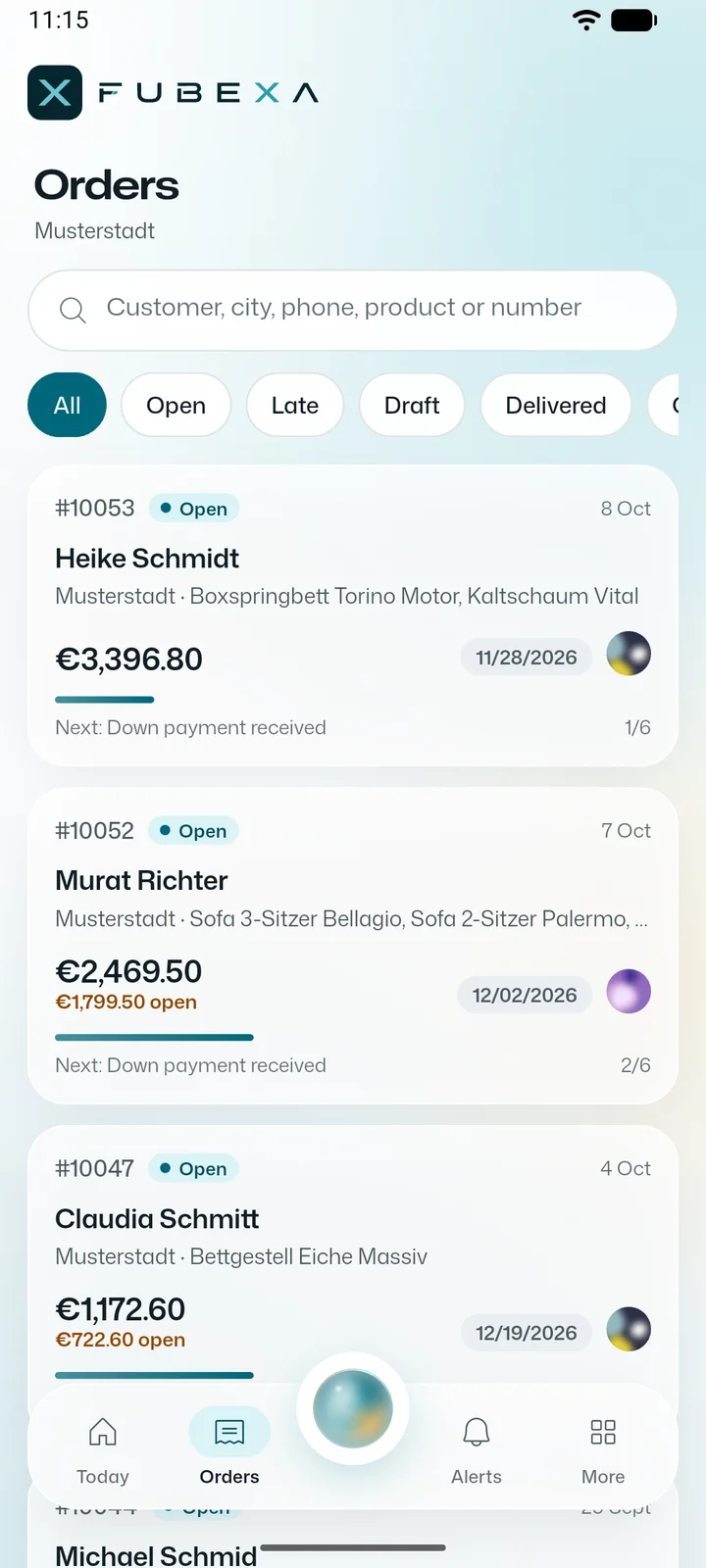
FUBEXA ONE runs in the browser on any device, with nothing to install. For Android phones there is also the FUBEXA App, in every package: live figures, orders and the daily briefing – with Warehouse (from Plus) the scanner, with Pro the cockpit alerts and the assistant.
See the FUBEXA App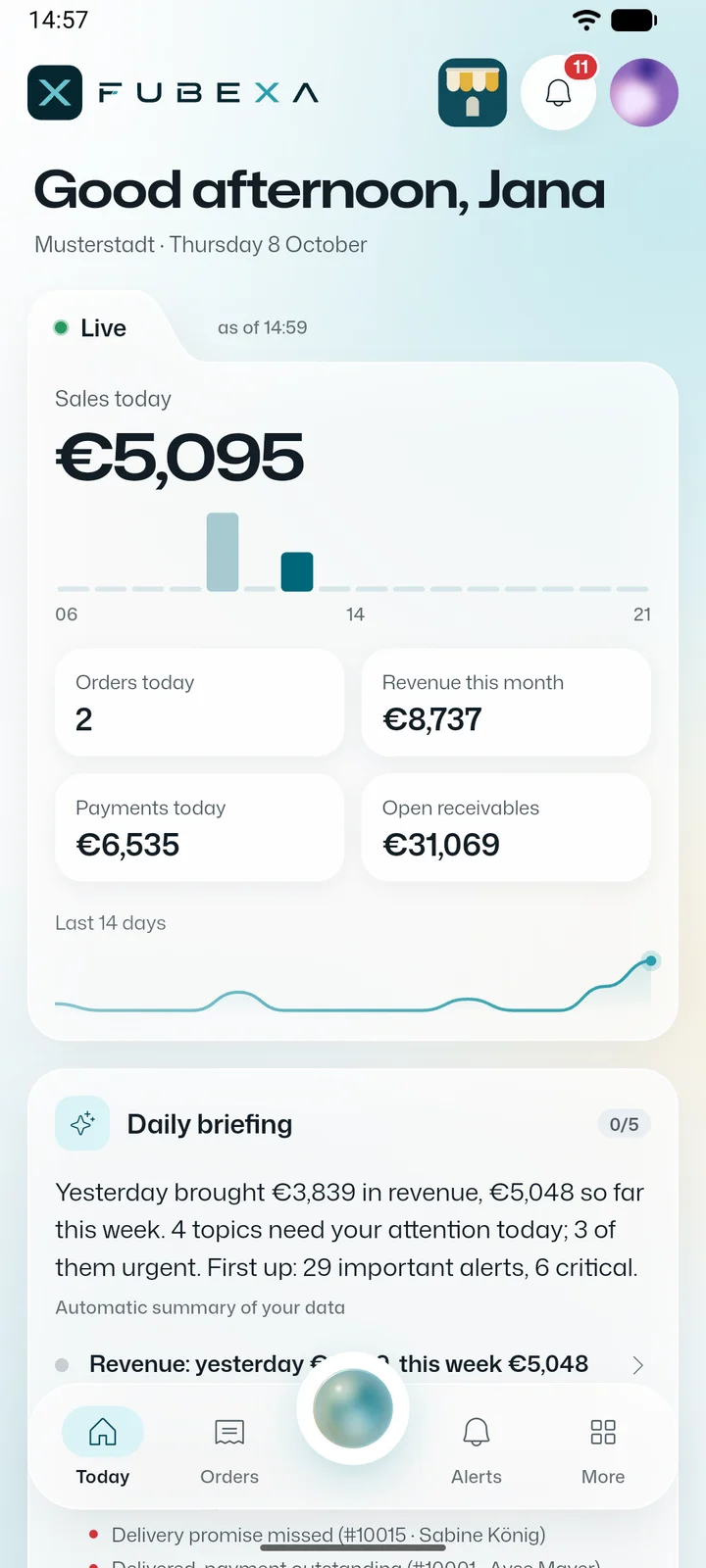
Start for free in three steps
No sales appointment, no brochure: you see FUBEXA ONE straight away under your own business name – free of charge and without payment details.
-
1Register
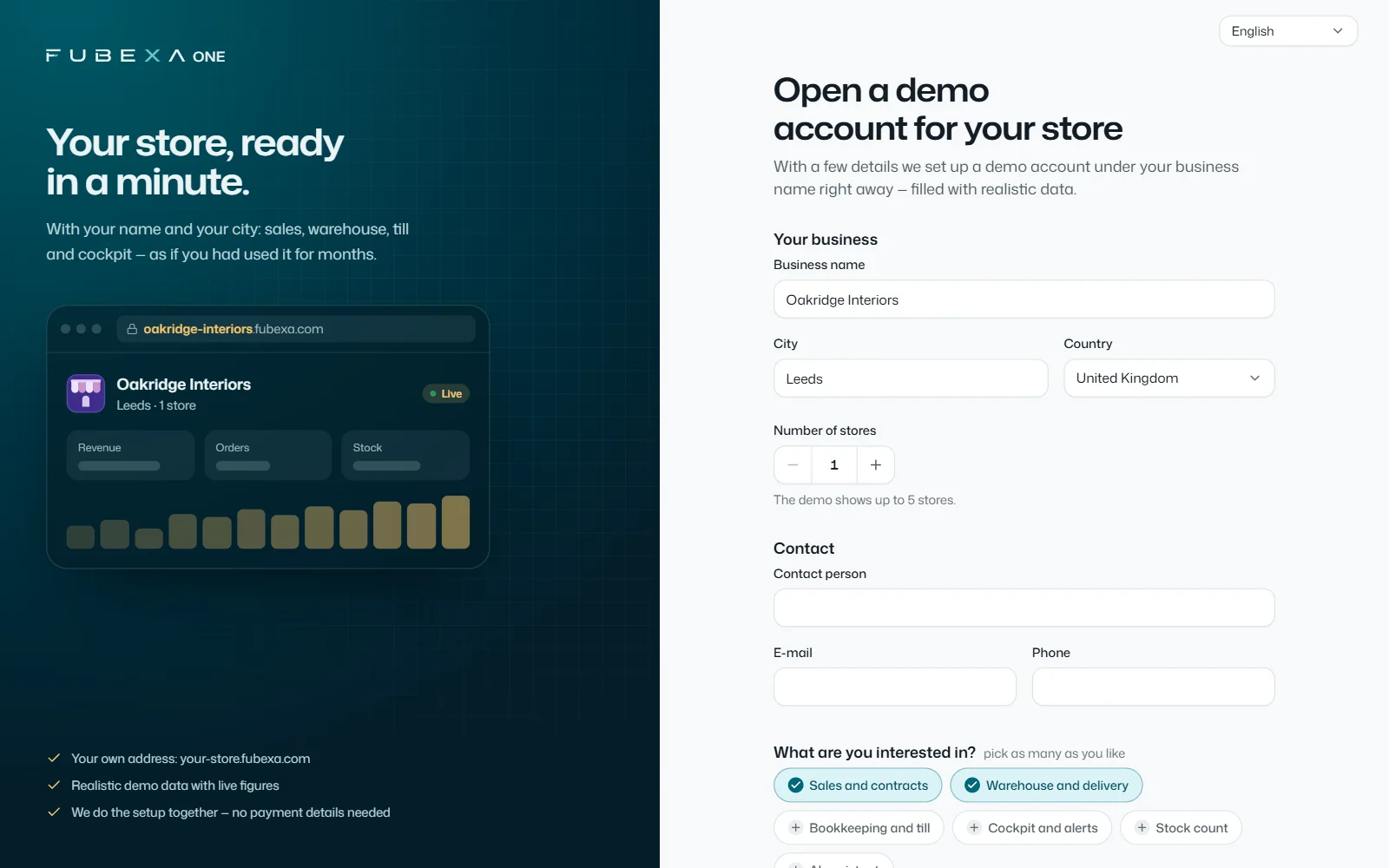
Company name, town, number of stores and your contact details – that’s all it takes. As soon as you confirm your email address, the account is ready.
-
2See it with sample data
At your own address, a business with your name is waiting: orders, warehouse, till and cockpit with realistic sample data. The figures on the home screen update live.
-
314 days of Pro with your data
With one click you start the trial with your own data – no payment details, the trial ends automatically. You import products and customers from Excel or CSV; our team helps with setup, about 2 hours by remote access.
Already a customer? Log in
Free account: see sample data under your company name straight away; with one click you then start 14 days of FUBEXA ONE Pro with your own data – no payment details, the trial ends automatically.
 Enlarge
Part of FUBEXA ONE Pro
FUBEXA Kokpit
The cockpit puts the data from FUBEXA ONE next to JTL-Wawi and DATEV – read-only – and reports every discrepancy by urgency, with the order and the next step. Still working with other systems? In the free error scan, the FUBEXA team checks your exported data and gives you a list of the discrepancies in euros.
How the cockpit works- FUBEXA Verkauf up to date 312Sales contracts, deposits
- FUBEXA Lager up to date 1,184Stock, deliveries
- FUBEXA Finanzen up to date 241Payments, till
- JTL-Wawi up to date 298read-only
- DATEV up to date 06:00Bookings, read-only
- Excel / CSV up to date Import: products, customers
- Alerts 5 open alerts, 2 of them critical
- FUBEXA App up to date Alerts in the browser and in the app
Three sources, three truths
The sales contract shows the price the customer signed for. JTL-Wawi shows what was booked, DATEV what accounting sees. As long as nobody puts the three side by side, a discrepancy only shows up when money is missing.
- Critical Amount in JTL-Wawi differs €300
Suggestion: Add item 3 (Livia bedside table) to order AU-10441
Where the money leaks away
- Order missing in JTL-Wawi
The sales contract is signed, but there is no order in JTL-Wawi – nothing gets ordered, nothing gets delivered.
- Discount without approval
A discount above the limit for the role goes unnoticed – and the margin is gone.
- Payment not posted
The deposit was taken in cash, but it is missing in JTL-Wawi or DATEV. Open items no longer add up.
- Balance open at delivery
The goods go out, the balance is still open – and nobody collects it.
14-day error scan. Free of charge.
You export your open orders, payments and supplier orders – the FUBEXA team checks them by hand and gives you a list of the discrepancies in euros. Then you decide. If you do nothing, the scan ends automatically.
- Days 1–3 Export
You export open orders, payments and supplier orders from your systems – we tell you which files we need. Nothing changes in your systems.
- Days 4–13 Check
The FUBEXA team checks every open order in your exports by hand and compares the files with each other.
- Day 14 List in euros
Every discrepancy with its amount, sorted by importance, with a suggested correction. Then you decide – or the scan ends automatically.
- Your systems stay unchanged
- 14 days free, ends automatically
- For businesses only
Frequently asked questions
Can FUBEXA change anything in my systems?
No. FUBEXA only reads JTL-Wawi and DATEV – via the FUBEXA Connector, a small reader program for Windows, without creating, changing or deleting any record there. For the error scan we work with exports you give us. You make corrections yourself.
Which systems can be connected?
JTL-Wawi and DATEV, both read-only via the FUBEXA Connector for Windows. You import products and customers from Excel or CSV. FUBEXA does not connect to other systems; for the error scan, exports from them are enough.
What does the error scan cost?
Nothing. After 14 days you receive the list and decide. If you don’t decide, the scan ends automatically.
Where is my data processed?
Before the error scan, we agree with you in writing where and by whom your order data is processed, in a data processing agreement (DPA). How this website processes data is explained in the privacy policy.
Who is FUBEXA for?
For retail businesses with one or more stores that sell, stock and deliver goods – from specialist shops to multi-store chains. The cockpit (in the Pro package) is especially useful if you work with JTL-Wawi or DATEV alongside FUBEXA ONE. The offer is aimed exclusively at businesses.
See your business in FUBEXA ONE.
A demo account under your business name, with live figures and every module – in a minute, free of charge and without payment details.
- Free, no payment details
- Set up together with our team