Warehouse FUBEXA ONE · from Plus
FUBEXA Lager A QR label on every package – from goods receipt to handover.
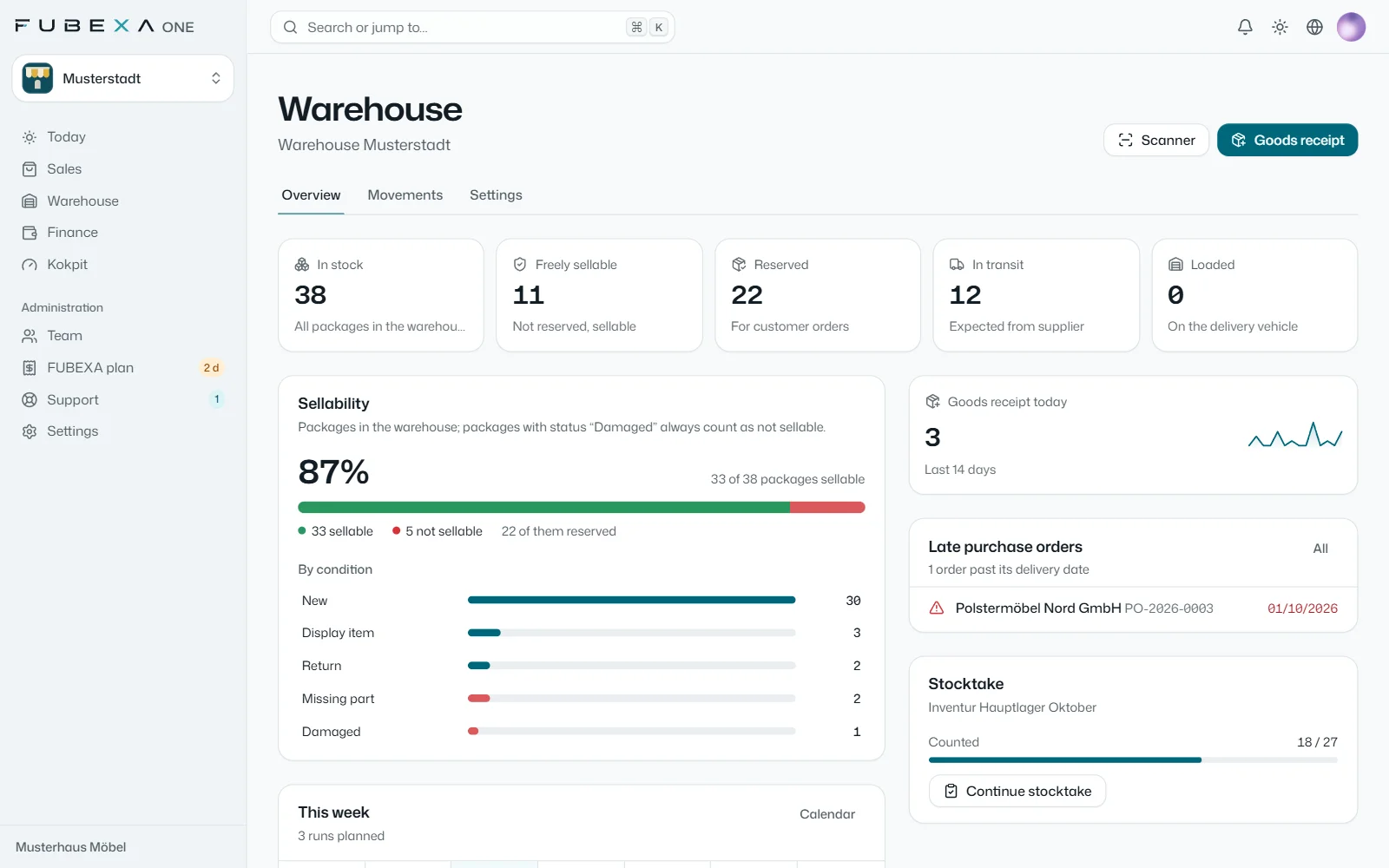
At goods receipt you choose the purchase order: lines, customer and order are already assigned. Every package gets its QR label and is reserved for its order. The warehouse overview shows free and reserved stock, conditions and this week’s delivery runs.
- A QR label for every package
- Scanner with the phone camera
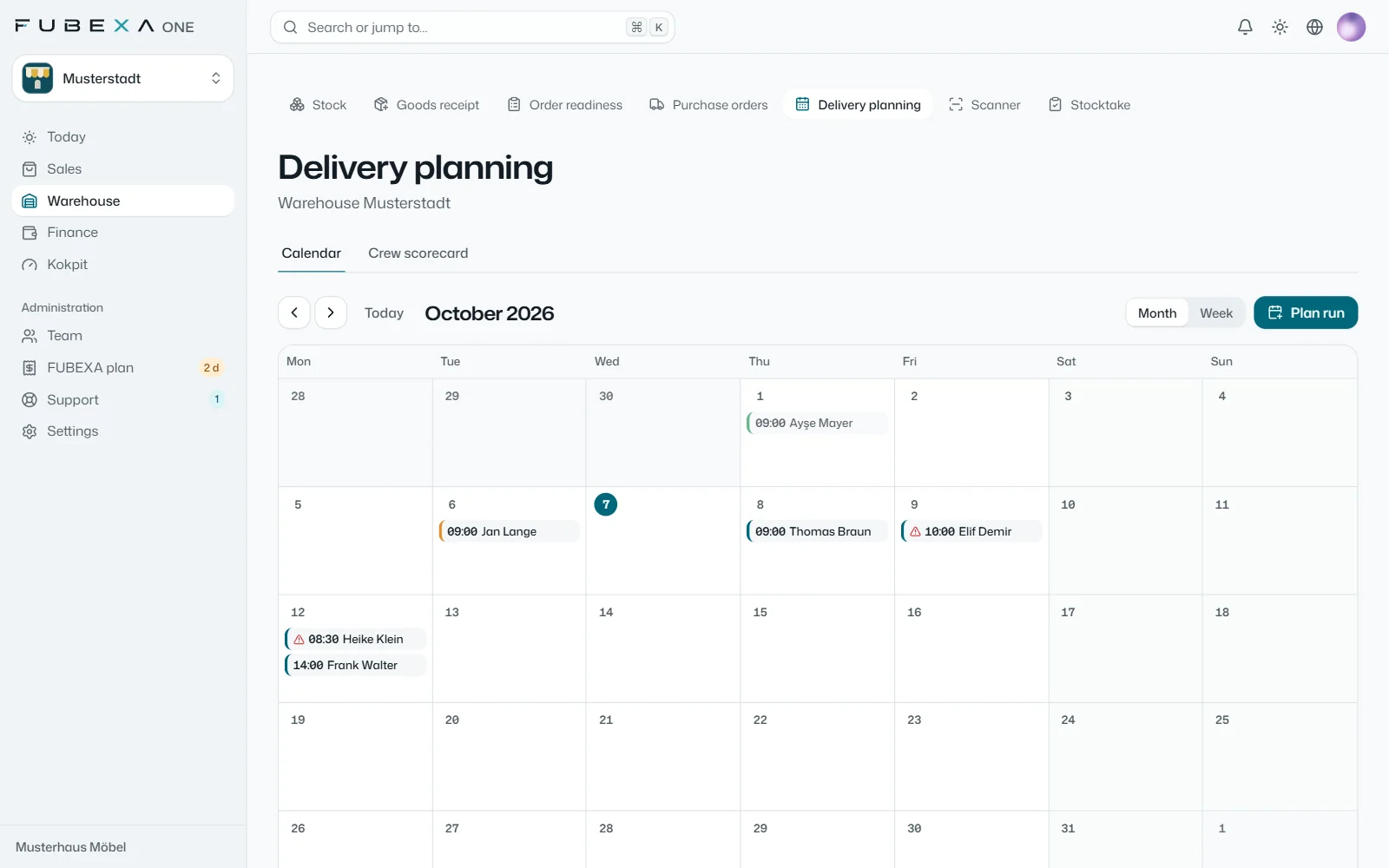
- Delivery planning with vehicle and team
What FUBEXA Lager looks like
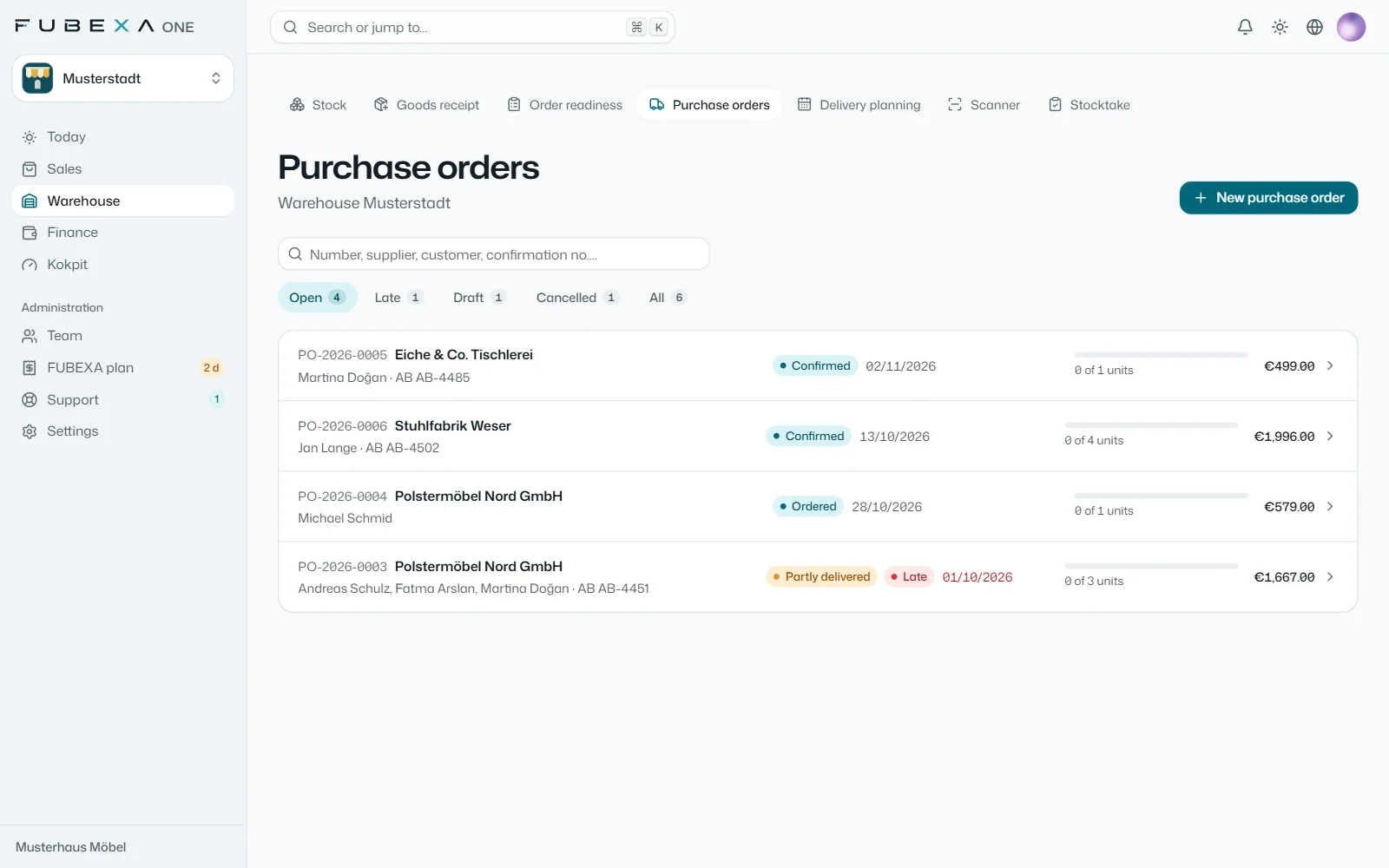
Goods receipt, stock, purchase orders and delivery planning – from a demo account with sample data, the interface in the language of this page.
What FUBEXA Lager does
-
The warehouse overview
In stock, freely sellable, reserved for orders, in transit from the supplier and loaded on the vehicle at a glance. Plus sellability with the split by condition, today’s goods receipt, late purchase orders and this week’s delivery runs.
-
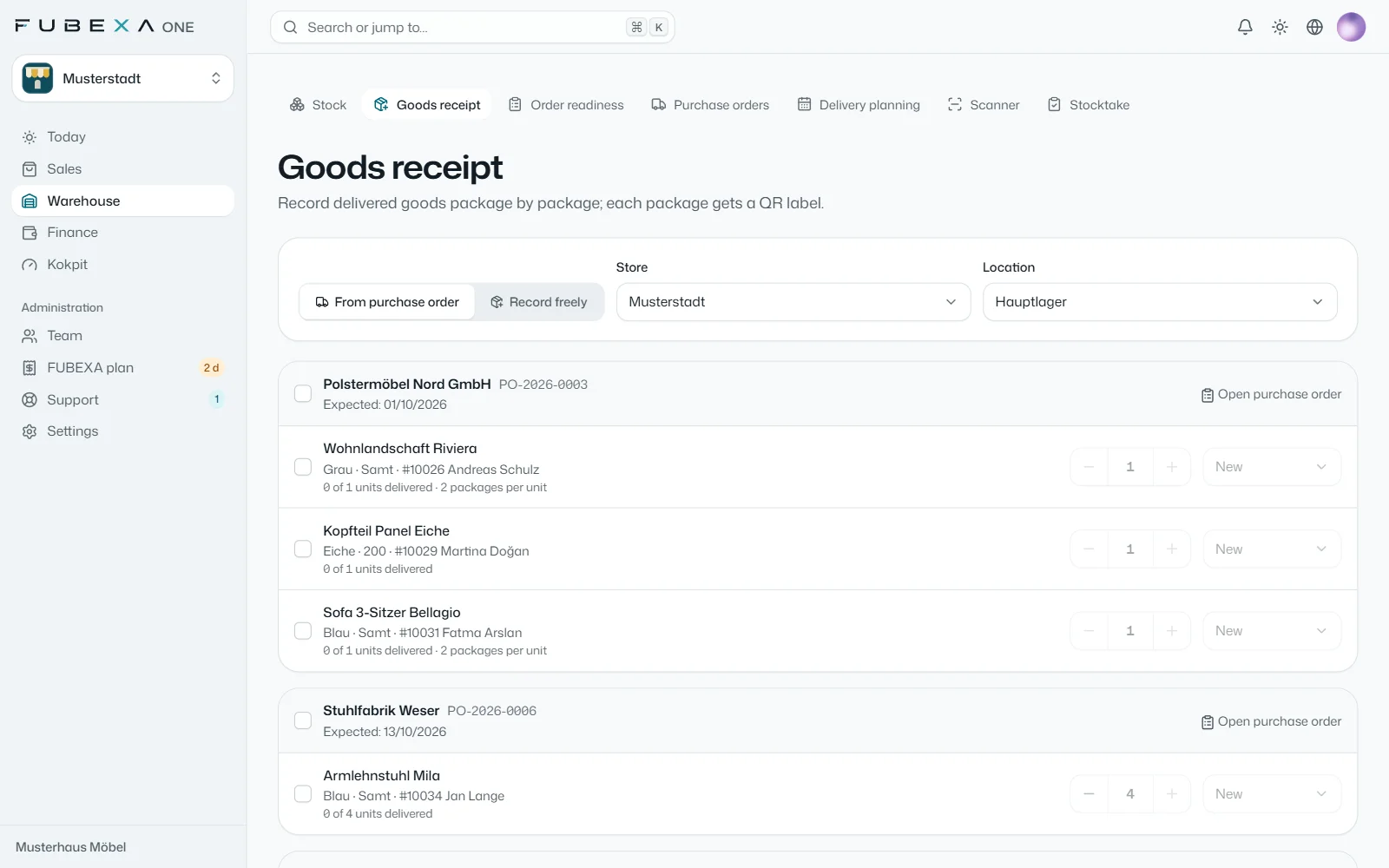
Goods receipt from the purchase order
You choose the purchase order, and lines, customer and order are already assigned; you record the manufacturer’s package number for each package. Goods without a purchase order are recorded freely.
-
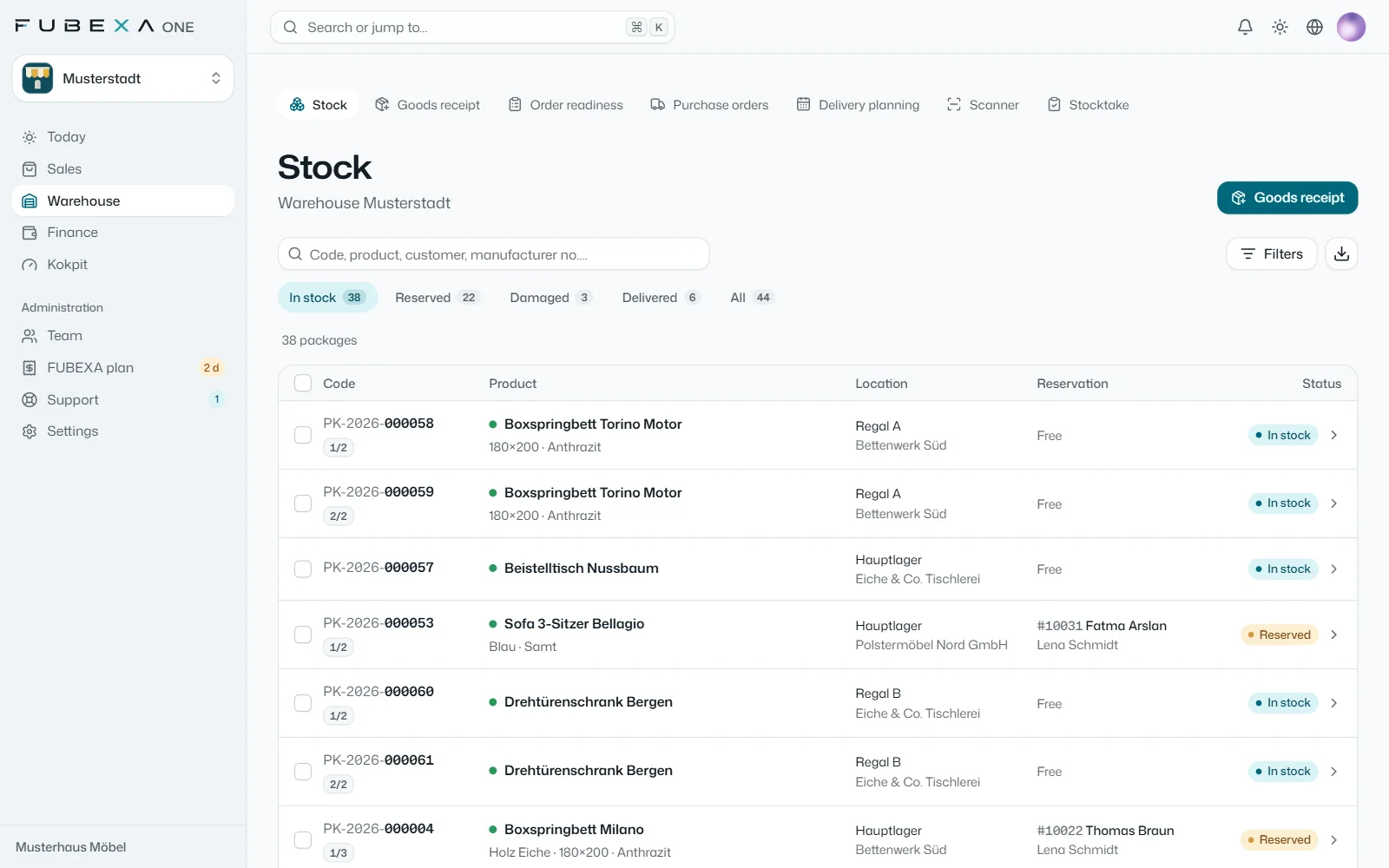
A QR label for every package
One label per package, on A4 (3 × 8), on a 62 mm roll or in 100 × 150 mm format. For every code, the scanner in FUBEXA shows the package’s details, photos and history.
-
Six conditions, plus your own
New, display item and return are sellable, damaged goods are not – you can add conditions of your own. Each package has a note and photos; packages for an order are reserved for it on arrival.
-
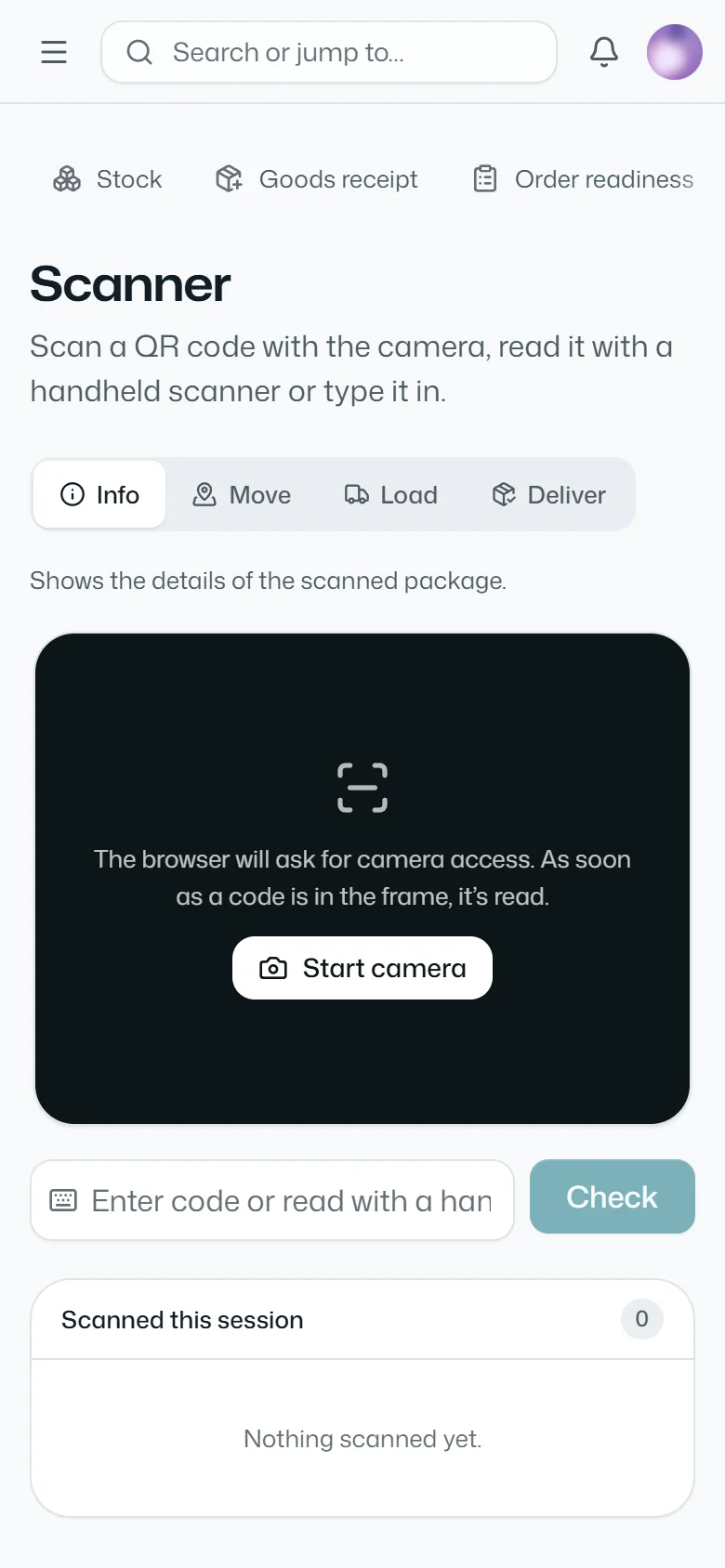
Scanner with the phone camera
The camera or a handheld scanner reads QR, DataMatrix, Code 128 and EAN. With the scanner you look up a package, move it, load it and deliver it.
-
Purchase orders and delivery runs
Purchase orders to suppliers are created from open orders. Order readiness shows what is complete in the warehouse; in delivery planning you set the date, time window, vehicle and team, and the customer signs at handover.
Which package includes it?
FUBEXA Lager is part of FUBEXA ONE: from the Plus package, together with stocktake, time tracking and the JTL-Wawi connection.
- Start Sales, customers, staff €89 / month per store not included
- Plus With warehouse and time tracking €129 / month per store included
- Pro With finance, DATEV and cockpit €169 / month per store included
Questions about FUBEXA Lager
Which codes does FUBEXA Lager read?
The phone camera or a handheld scanner reads QR, DataMatrix, Code 128 and EAN – FUBEXA’s own QR label as well as the manufacturer’s label.
How do goods get into the system?
Through goods receipt: you choose the purchase order, lines and order are already assigned, and every package gets its QR label. Goods without a purchase order are recorded freely.
Can a package be deleted?
No. Packages are archived and can be restored. Every movement is kept in the package’s history.
Which languages does FUBEXA Lager work in?
German, Turkish, English, Dutch and French; each user chooses their own language.
More FUBEXA products
-
FUBEXA Verkauf
Sales
Sales contracts on the tablet, signatures and order tracking
-
FUBEXA Finanzen
Finance
Payments, cash book and day report
-
FUBEXA Kokpit
Cockpit
Checks FUBEXA ONE against JTL-Wawi and DATEV – in Pro
-
FUBEXA App
Android app: figures, orders and alerts